Best Contractor Estimate Software in 2026
Every "best contractor software" list you have read was written by someone trying to sell you something. Affiliate links, sponsored placements, or the company's own blog ranking their product first. We evaluated every major tool on the market before building Jobkore, and we think contractors deserve an honest breakdown with real pricing and real tradeoffs. Here it is, updated for the spring 2026 software landscape.
We are going to split this into two categories, because most comparison articles lump together apps that serve completely different audiences. Simple estimate-and-invoice tools (what a solo contractor or small crew actually needs) and full-service field management platforms (what a growing company with dispatchers and office staff might need). Knowing which category you fall into saves you from overpaying for features you will never touch.
Simple estimate and invoice tools
These apps focus on the core workflow: create an estimate, send it to the client, convert it to an invoice, get paid. No scheduling. No dispatch. No CRM. If you are a one-person operation or a small crew that manages its own leads, this is your category.
Jobkore
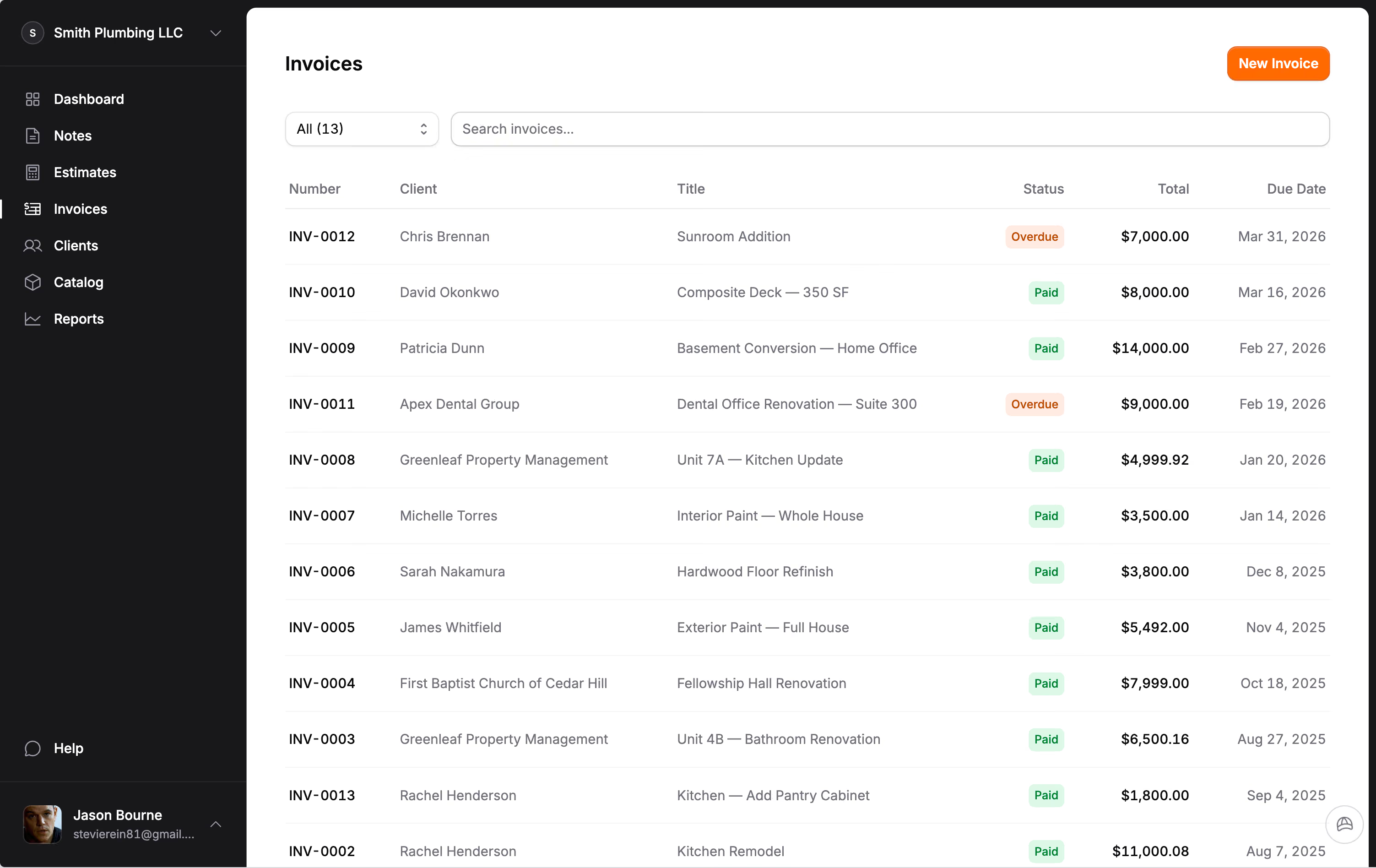
$29 per month ($290 per year), flat. Every account includes unlimited estimates, unlimited invoices, unlimited clients, Hank AI™ for estimate organization, change orders, QuickBooks sync, Stripe payments, and full Spanish language support. A 14-day trial with no credit card comes first. Flat subscription, and no feature of the app costs extra. No additional payment processing fees beyond Stripe's standard 2.9% + $0.30.
Strengths: Change orders signed by the client and added to the same invoice (unique in this category), AI-powered estimate organization from field notes and photos, bilingual EN/ES, clean mobile experience. Weaknesses: No scheduling or dispatch features, newer to market than established competitors, no in-person card reader yet.
Joist
$8 to $32 per month (Basics, Pro, Elite). Owned by EverCommerce. Over 1 million users. Joist has been around for years and has a solid estimate-and-invoice workflow. The interface is clean and straightforward.
Strengths: Large user base, simple interface, financing options for clients. Weaknesses: Payment processing at 3.49% + $0.49 on the basic plan (significantly higher than Stripe's standard rate), no change order feature with separate approvals, no AI estimating, no Spanish support, no QuickBooks sync on lower tiers.
Project 2 Payment
Starting at $20 per month. All features included for every user, unlimited users. Trade-specific landing pages and templates. Payment processing at 2.9% + $0.30 for cards, 0.5% + $0.25 for ACH. Built-in surcharging option.
Strengths: Flat pricing with no per-user fees, surcharging built in, trade-specific templates. Weaknesses: No change orders, no AI features, no Spanish support, smaller user community.
Invoice Simple
$4 to $20 per month across six tiers. Generic invoicing tool, not contractor-specific. Recent price increases have drawn user complaints.
Strengths: Very low starting price, simple interface. Weaknesses: Not built for contractors (no estimate sections, no change orders, no trade-specific features), limits on lower tiers, no payment processing integration on basic plans, no Spanish support.
Full-service field management platforms
These apps bundle estimates and invoices with scheduling, dispatch, CRM, routing, and team management. If you have office staff, multiple crews, or need to manage a daily dispatch board, these might be worth the price. If you do not need those features, you are paying for overhead.
Jobber
$39 to $299 per month (Core, Connect, Grow). Additional users cost $29 per month each. QuickBooks sync requires the $119 Connect plan. AI receptionist add-on costs $99 per month. Payment processing at 2.9% + $0.30.
Strengths: Strong scheduling and dispatch, large user base and community, solid mobile app. Weaknesses: Expensive for solo contractors who only need estimates and invoices, per-user fees add up quickly, QuickBooks locked behind mid-tier pricing, Spanish available only for field worker mobile app (not admin or client-facing documents).
Housecall Pro
$79 to $189 per month ($59 to $149 on annual). Add-ons include sales proposals ($40 per month), price book ($149 per month), and GPS tracking ($20 per vehicle). Payment processing at 2.49% to 3.49% + $0.30.
Strengths: Marketing automation, online booking, strong brand recognition. Weaknesses: Expensive base price, critical features locked behind add-ons, no change orders, no Spanish support, total monthly cost can reach $400 or more with add-ons.
JobTread
$299 per month plus $20 per additional user ($159 plus $18 on annual). All features included at one tier. Payment processing at 2.79% to 2.95% + $0.30.
Strengths: Excellent job costing and budgeting, all features included (no add-on upsells), strong for remodelers and builders. Weaknesses: Expensive starting price, designed for larger operations, learning curve, no Spanish support.
What the pricing does not tell you
Monthly subscription is only part of the cost. A contractor processing $25,000 per month in card payments is paying $725 in processing fees at standard Stripe rates of 2.9% + $0.30. On platforms with higher processing rates like Joist's 3.49% + $0.49, that same $25,000 costs $922. That is a $297 per month difference that never shows up in pricing page comparisons.
Per-user fees matter too. Jobber Connect is $119 for the base plan plus $29 per additional user, so three seats puts you at $177 per month. Jobkore's subscription is a flat $29. The features are different (Jobber gives you scheduling, dispatch, and individual user logins that Jobkore does not), but if your workflow does not depend on those, the $158 monthly difference buys a lot of materials.
A drywaller in Austin we worked with had been on Housecall Pro for nearly two years at $189 per month plus add-ons that pushed his total to $312. He told us he had used the dispatch board exactly twice. When he moved to a focused estimate-and-invoice tool, his real software bill dropped to $29 plus pass-through processing fees. "I was paying $293 a month to ignore most of the features," he said. "I just didn't realize it because the bill was on autopay."
That story is not rare. We dug deeper into the math behind it in our breakdown of what contractor software actually costs, and the pattern repeats almost every time.
How to choose
Ask yourself one question: do you need scheduling and dispatch? If yes, look at Jobber or Housecall Pro. If no, you are in the simple estimate-and-invoice category, and you should not be paying $100 or more per month for features you will never open.
For solo contractors and small crews who need professional estimates, invoices, payments, and nothing else, the honest answer is that the tools in the first category all get the job done. The differences come down to pricing, payment processing fees, and specific features like change orders, AI, QuickBooks sync, and language support.
We built Jobkore because we thought there was room for a tool that does this specific job well, at a fair price, without locking essential features behind expensive tiers. But we also know it is not the right fit for everyone. If you need a full field management platform, Jobber is probably your best bet. If you need enterprise job costing, look at JobTread. If you need the simplest possible estimate-and-invoice tool and have been using Joist for years, it still works.
The worst choice is paying $150 per month for software you use 10 percent of. Figure out what you actually need, then pay for that and nothing more.
One thing to do this week
Open whatever tool you currently use and make a list of every feature you have actually touched in the last 30 days. Not "could use" or "might use someday." Touched. Then look at your monthly bill and divide it by that number. The cost-per-feature you are getting is usually the most honest signal of whether the tool is right-sized for your business. Most contractors who run this exercise discover three or four features doing all the work and a long tail they have never opened.
That list is the brief for the next tool you evaluate. Take it with you when you sign up for the free trials.
Frequently Asked Questions
What is the best free estimating app for contractors?
Most free contractor apps restrict the number of estimates you can send or lock key features like payments behind a paid upgrade, so read the limits before you commit. Jobkore has no free tier and no feature gating: every account gets the full app for 14 days with no credit card, then $29 per month. Joist Basics starts at $8 per month with limited features.
How much does contractor estimating software cost per month?
Simple estimating and invoicing tools range from $8 to $32 per month. Full-service field management platforms like Jobber and Housecall Pro cost $39 to $299 per month. Enterprise tools like JobTread start at $299 per month plus per-user fees. The right price depends on whether you need just estimates and invoices or a full business management suite.
What should I look for in contractor estimate software?
Prioritize the estimate-to-invoice workflow: can you build a detailed estimate, send it for approval, and convert it to an invoice in a few taps? After that, check payment processing fees, mobile usability, and whether the tool handles change orders. Avoid paying for scheduling, dispatch, and CRM features you will never use.
Do I need estimating software or construction management software?
If you are a solo contractor or small crew focused on estimates, invoices, and getting paid, estimating software is all you need. Construction management software adds scheduling, dispatch, CRM, and project tracking for larger teams. Most solo contractors overpay for features designed for companies with office staff.