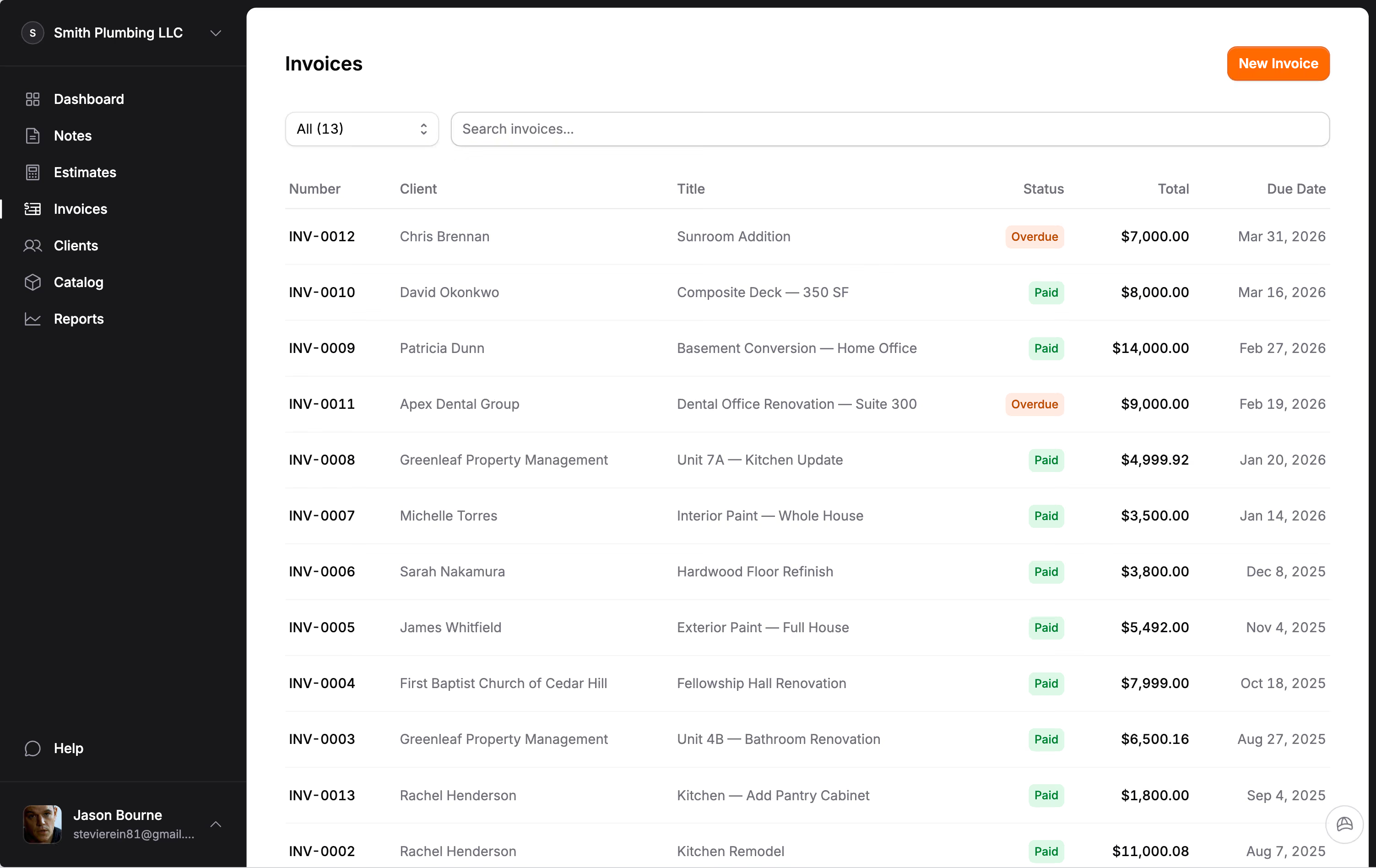
Estimating, invoicing, and payment features for contractors.
Change orders, AI-powered estimates, QuickBooks sync, online payments — all at $29/month with zero additional fees.
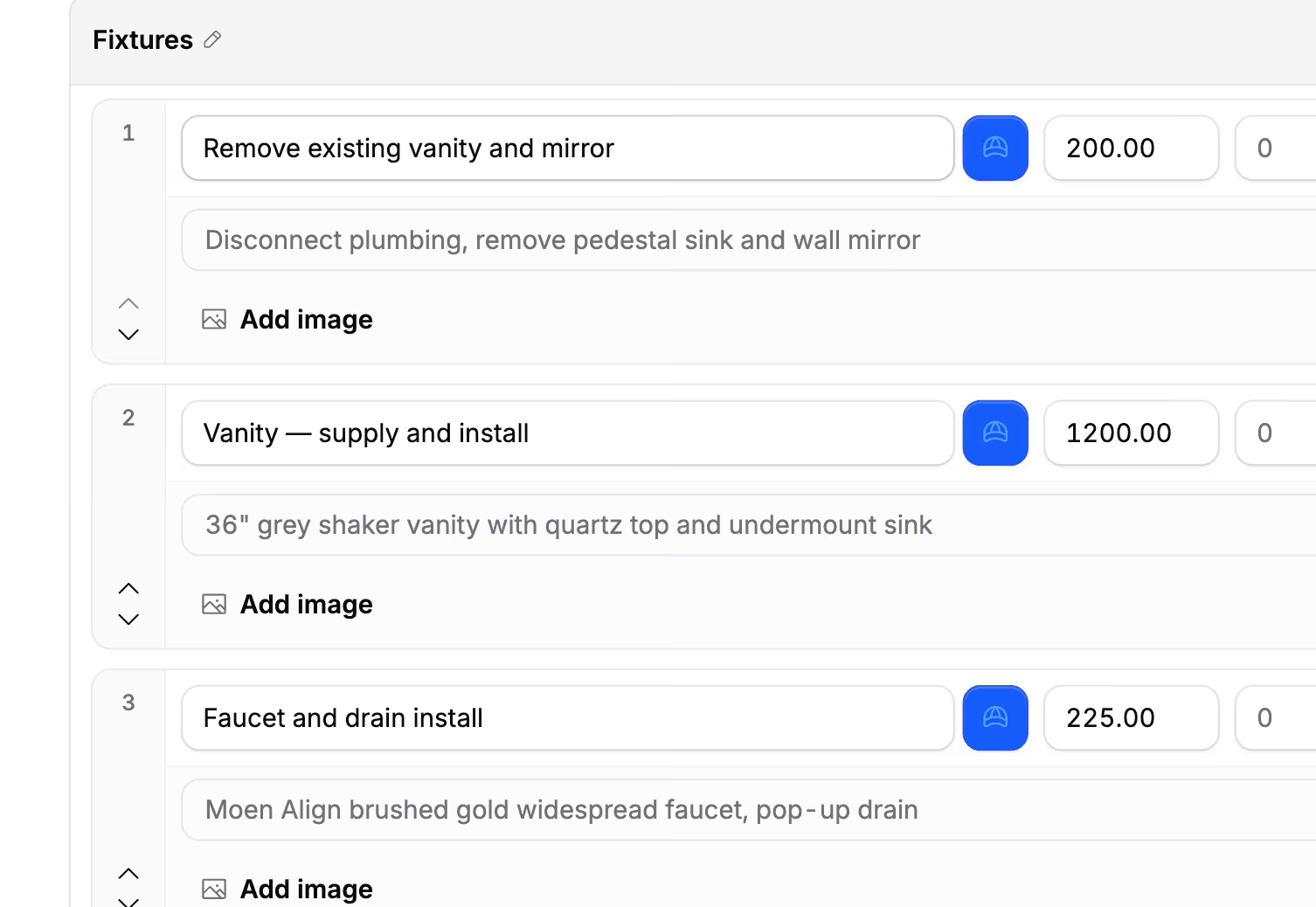
Build an estimate. Send it before you leave.
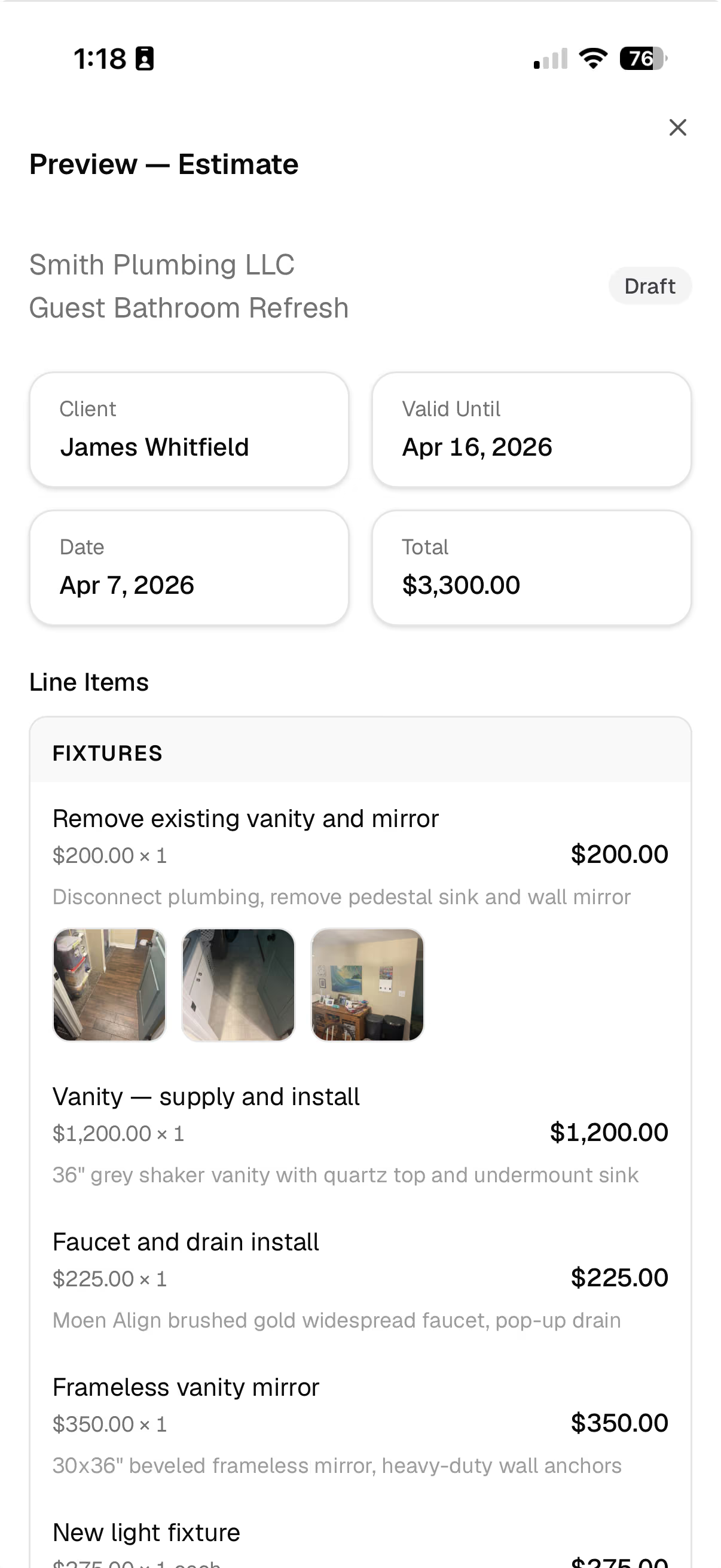
Walk the job, add your line items, attach any photos or notes, and send the link from the driveway. Your client views, signs, and accepts on their phone.
- Sections with hidden markup — clients see the price, not your margins
- Attach photos directly to line items
- Shareable link with e-signature built in
- Show or hide rates, quantities, and totals per client
- Discounts, deposits, tax, and markup built in
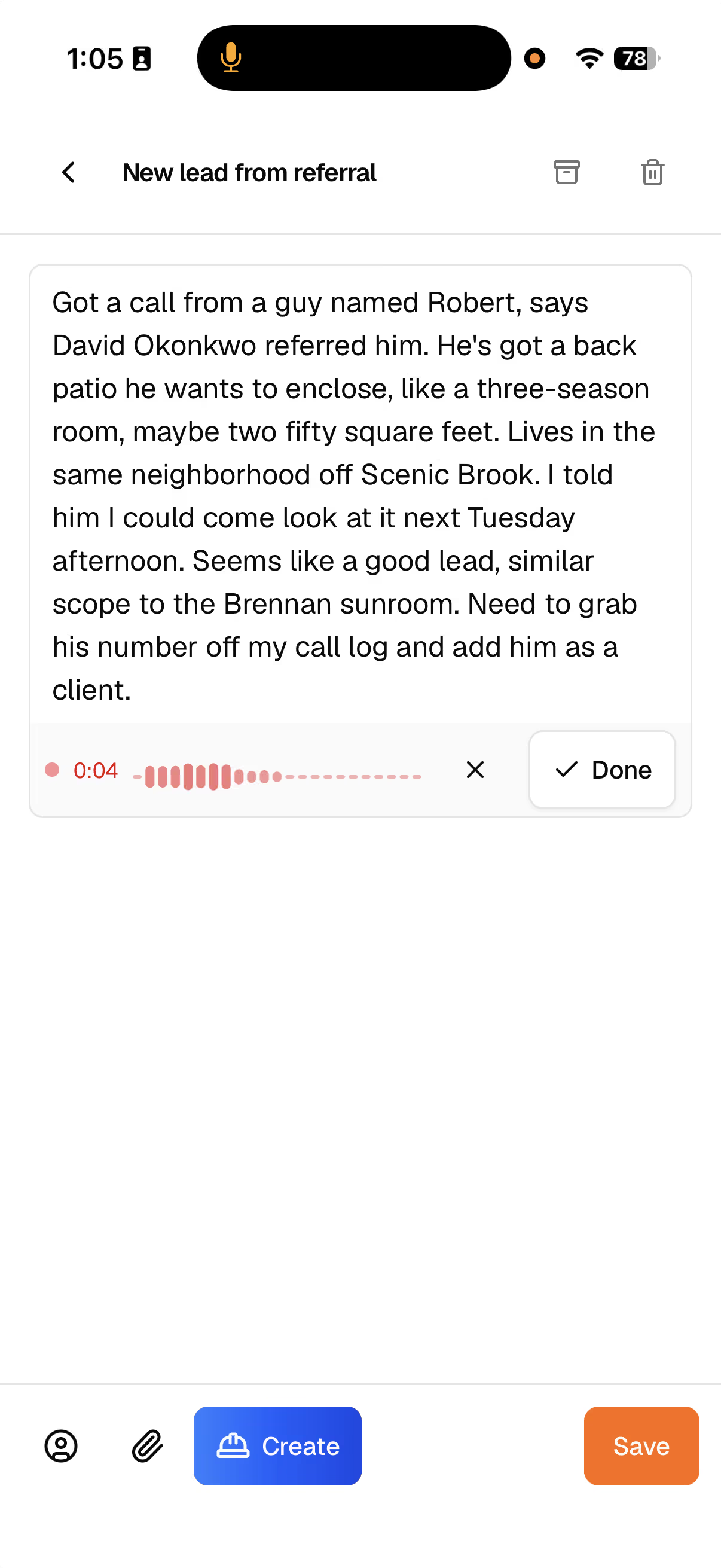
Record now. Estimate later.
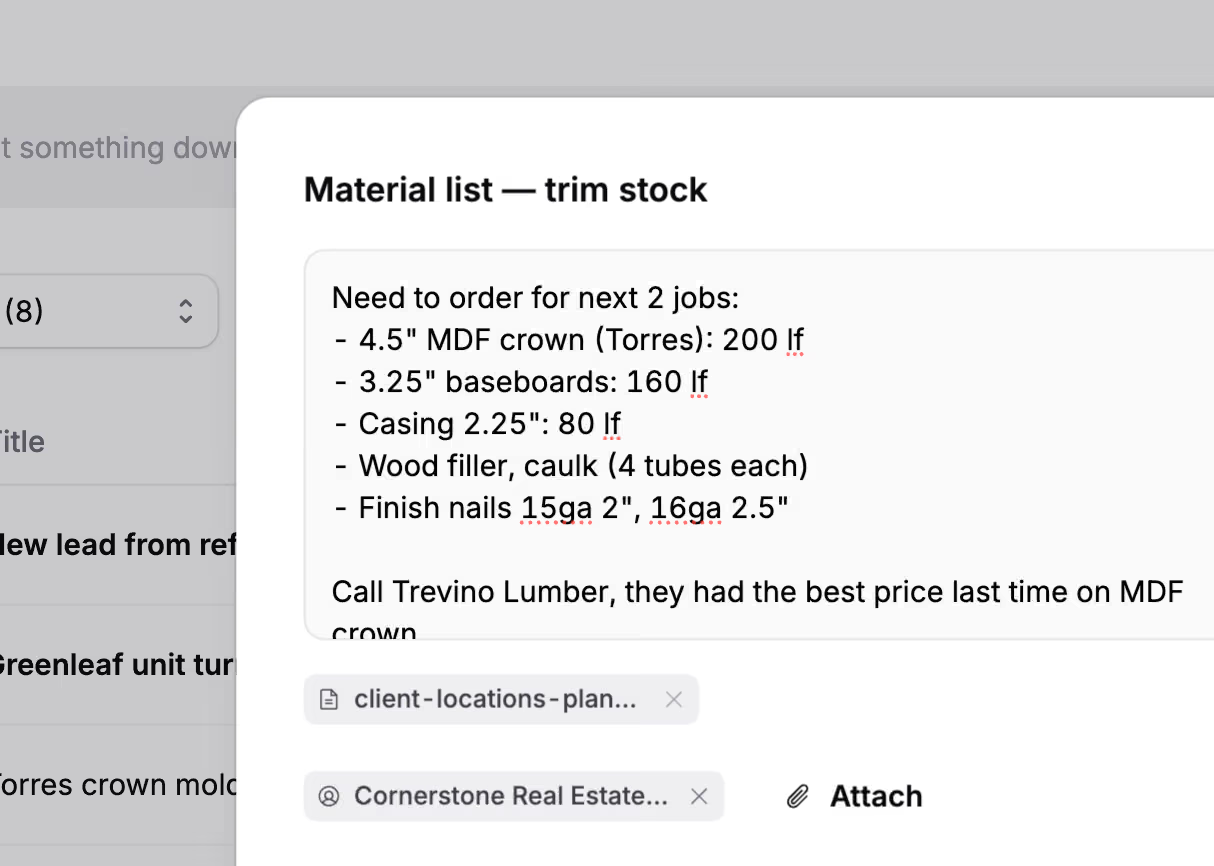
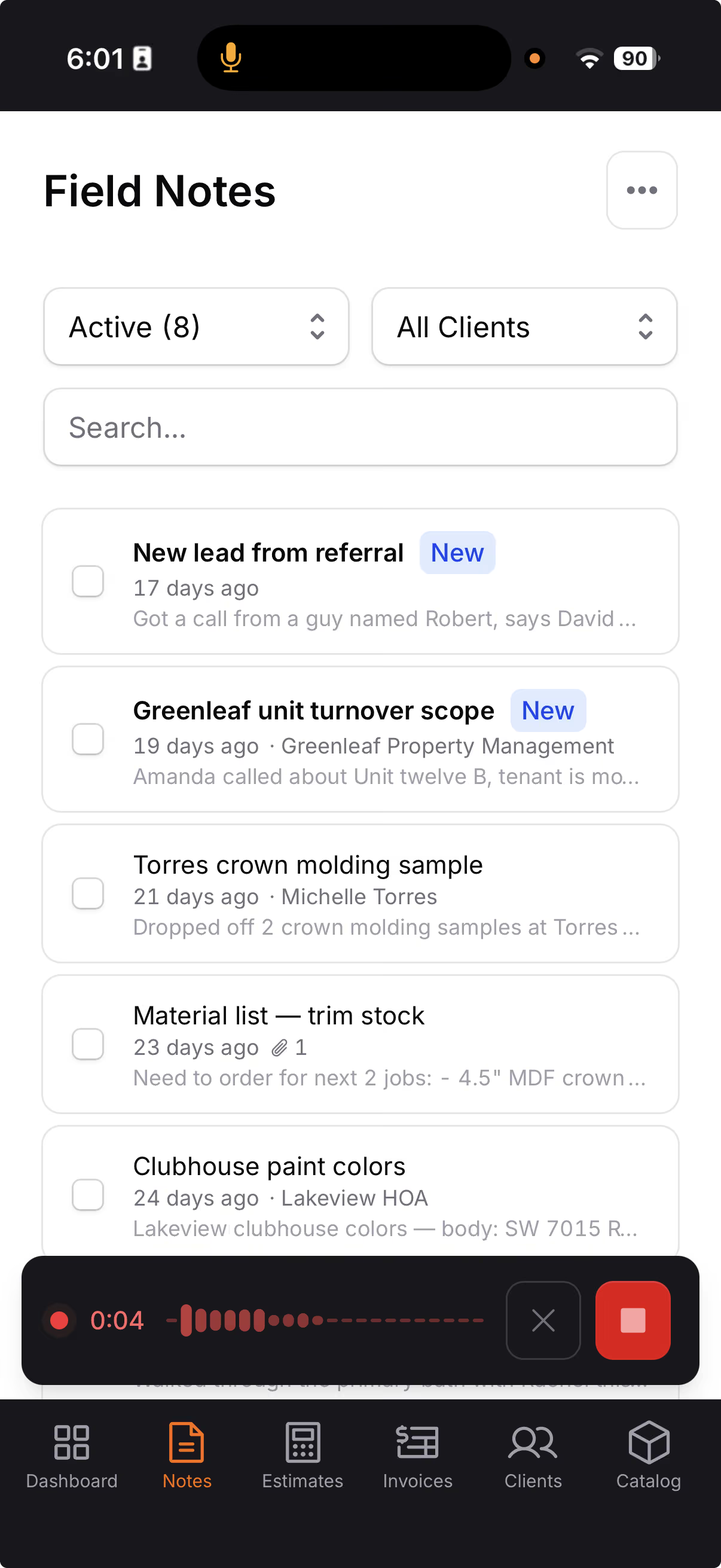
Type a note between jobs, record a voice memo during a walkthrough, or snap a photo of a scope sketch. When you're ready, select your notes and Hank builds the estimate while you watch.
- Snap a photo of handwritten notes or spec sheets — Hank reads the text
- Voice notes up to 15 minutes, transcribed automatically
- Tag any note to a client to keep their activity together
- Select your notes, and Hank AI™ organizes them into an estimate or an invoice
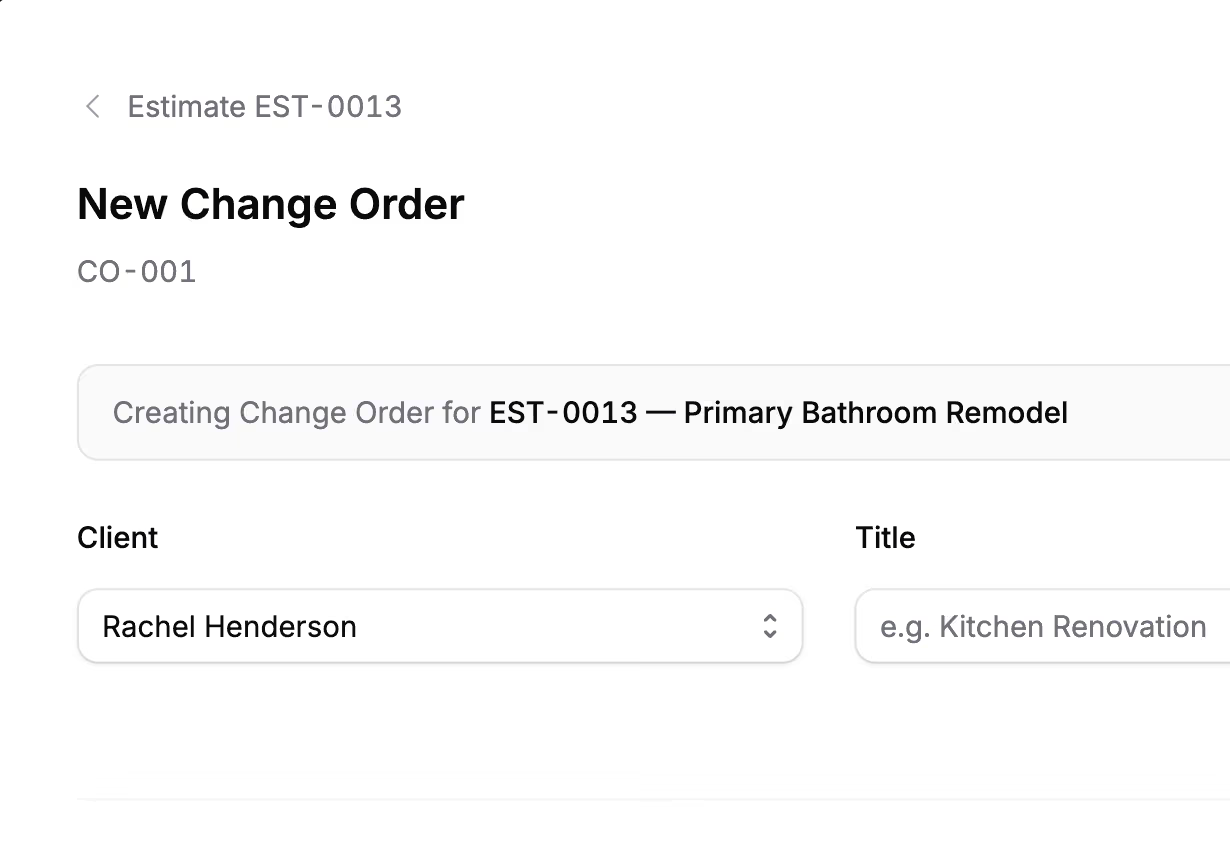
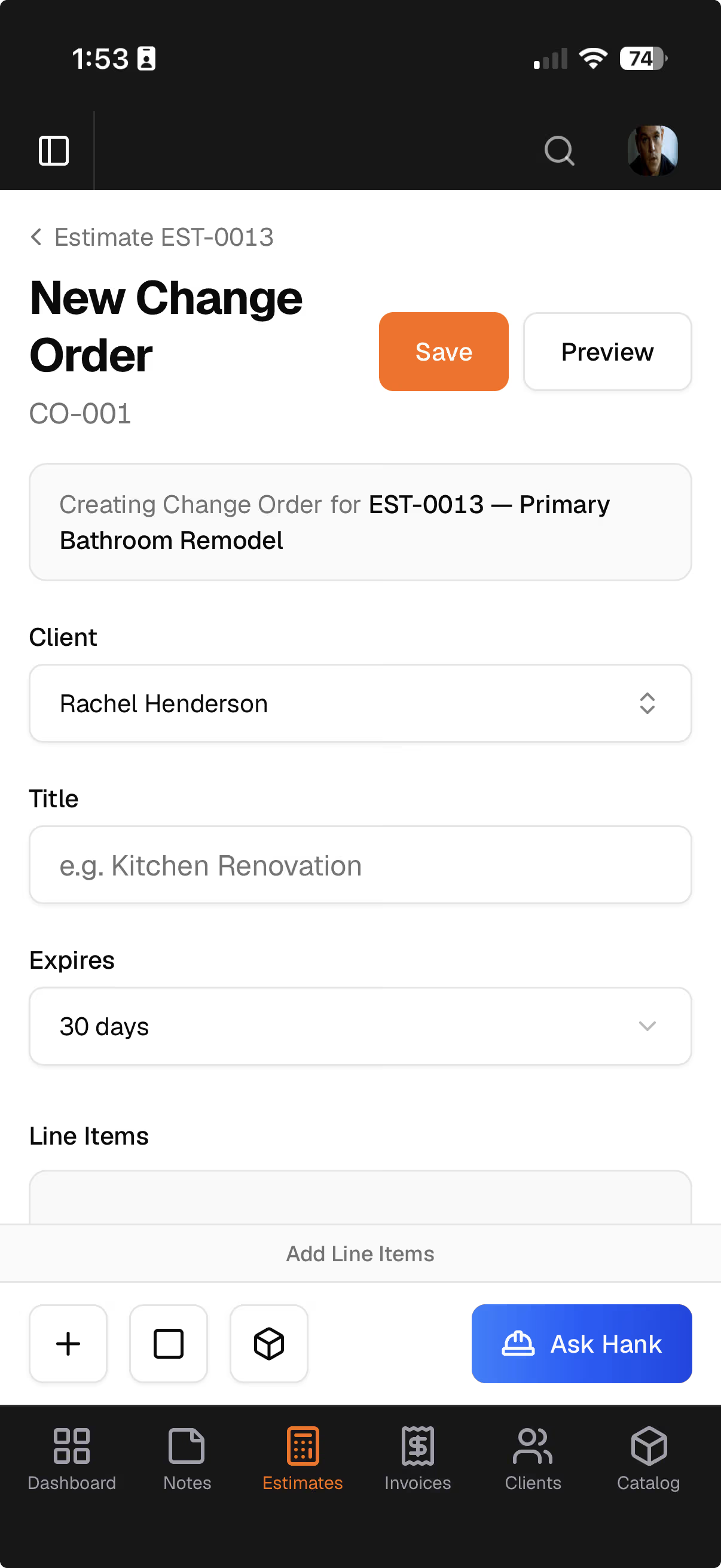
Scope changed? Handle it right.
Client wants to add outlets or swap fixtures after you’ve billed? Add a change order to the invoice. They sign it on the link they already have, and the total moves.
- Signed on the invoice — no second document to chase
- Add scope or credit it back, on one change order
- Unsigned work never counts toward what they owe
- One number: the original, the changes, the revised total
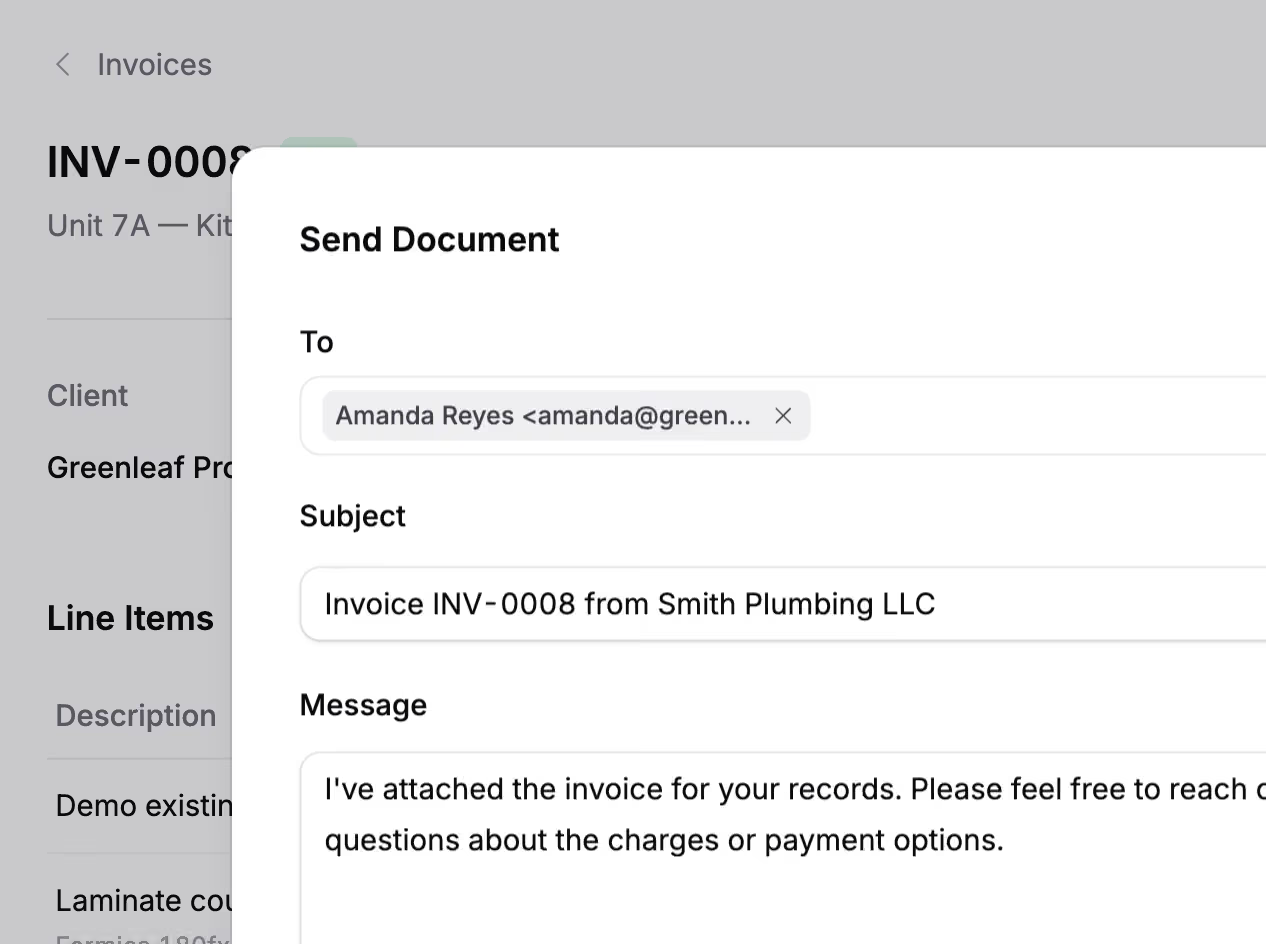
Send an invoice. Get paid.
One click from approved estimate to invoice. Your client pays from the link, the payment records itself, and the balance updates.
- One click from estimate to invoice — nothing to re-enter
- Online payments with zero additional fees from Jobkore
- Partial payments tracked, balance always current
- Overdue invoices flagged automatically
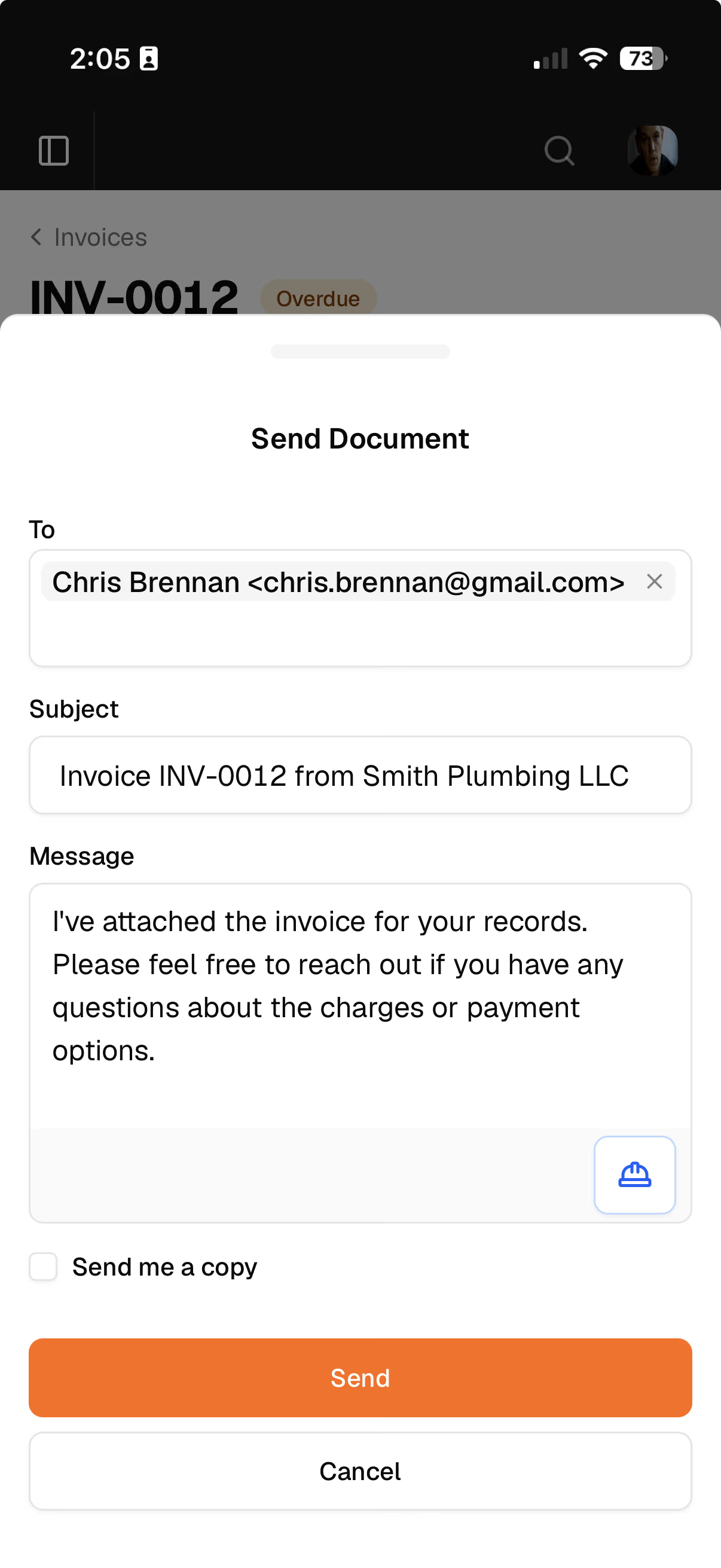
Accept payments. Zero extra fees.
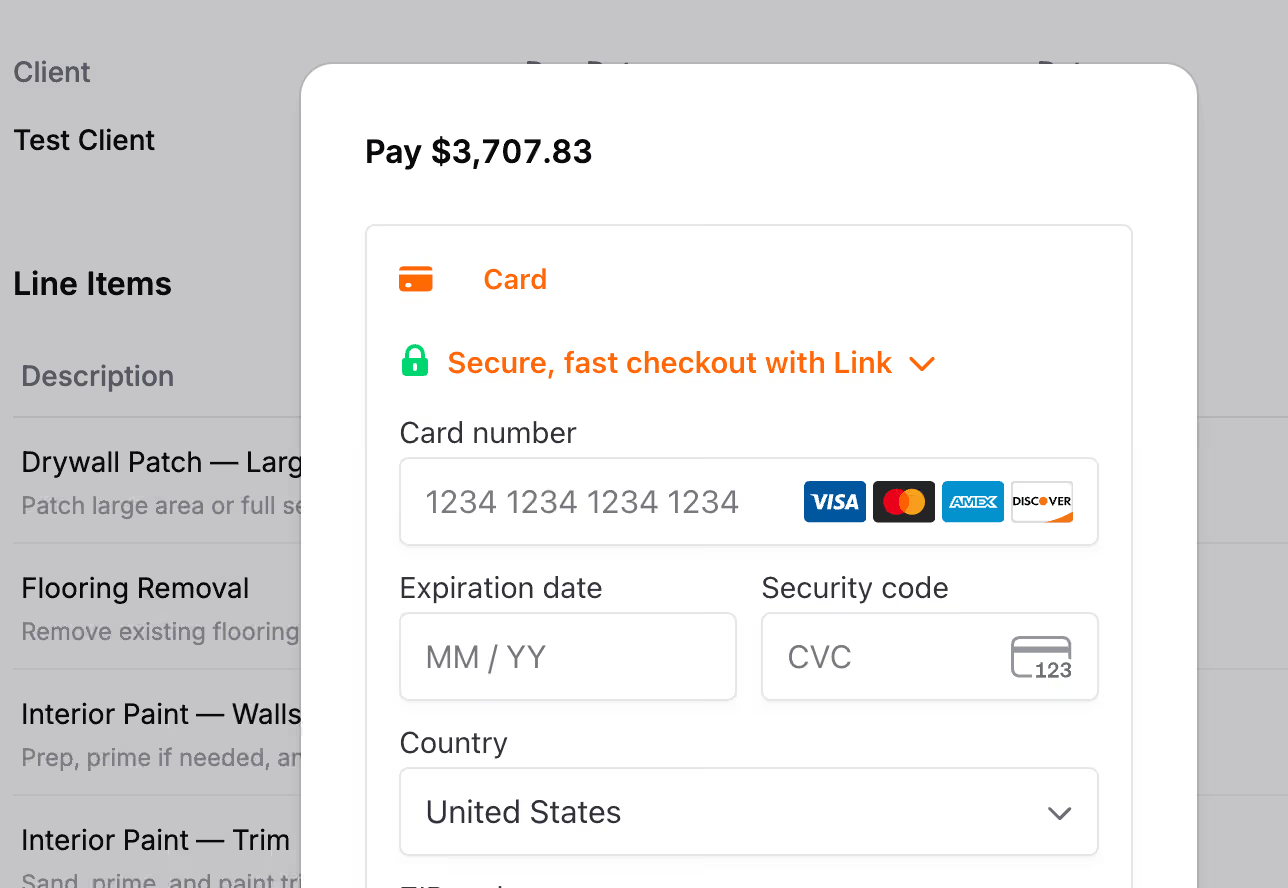
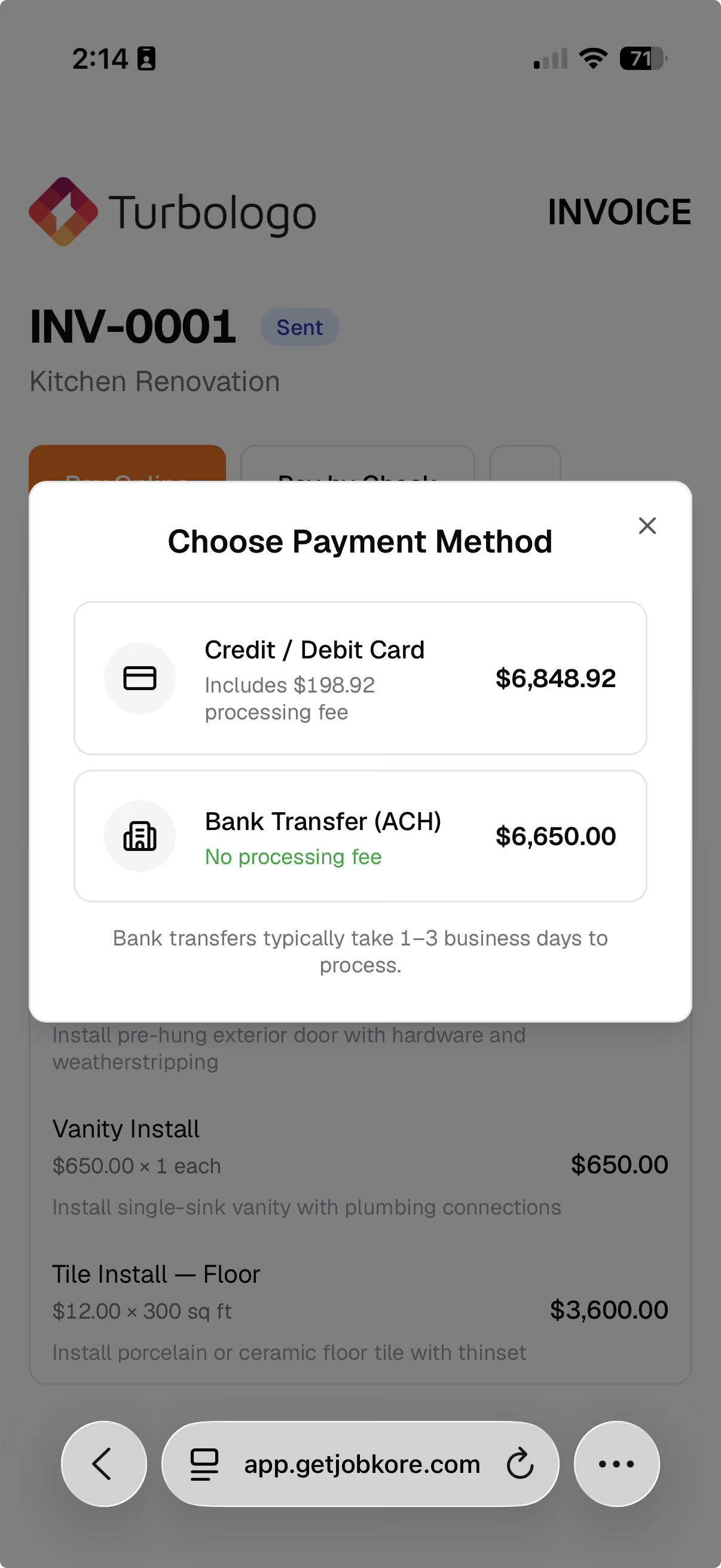
Connect Stripe once. Your client pays from the invoice link, the payment records itself, and you keep every dollar. Jobkore adds nothing on top.
- Just Stripe's standard rate — no markup from Jobkore
- Clients pay from the invoice link — no account needed
- Payments record automatically — no manual entry
- Option to pass processing fees to the client
Check your numbers.
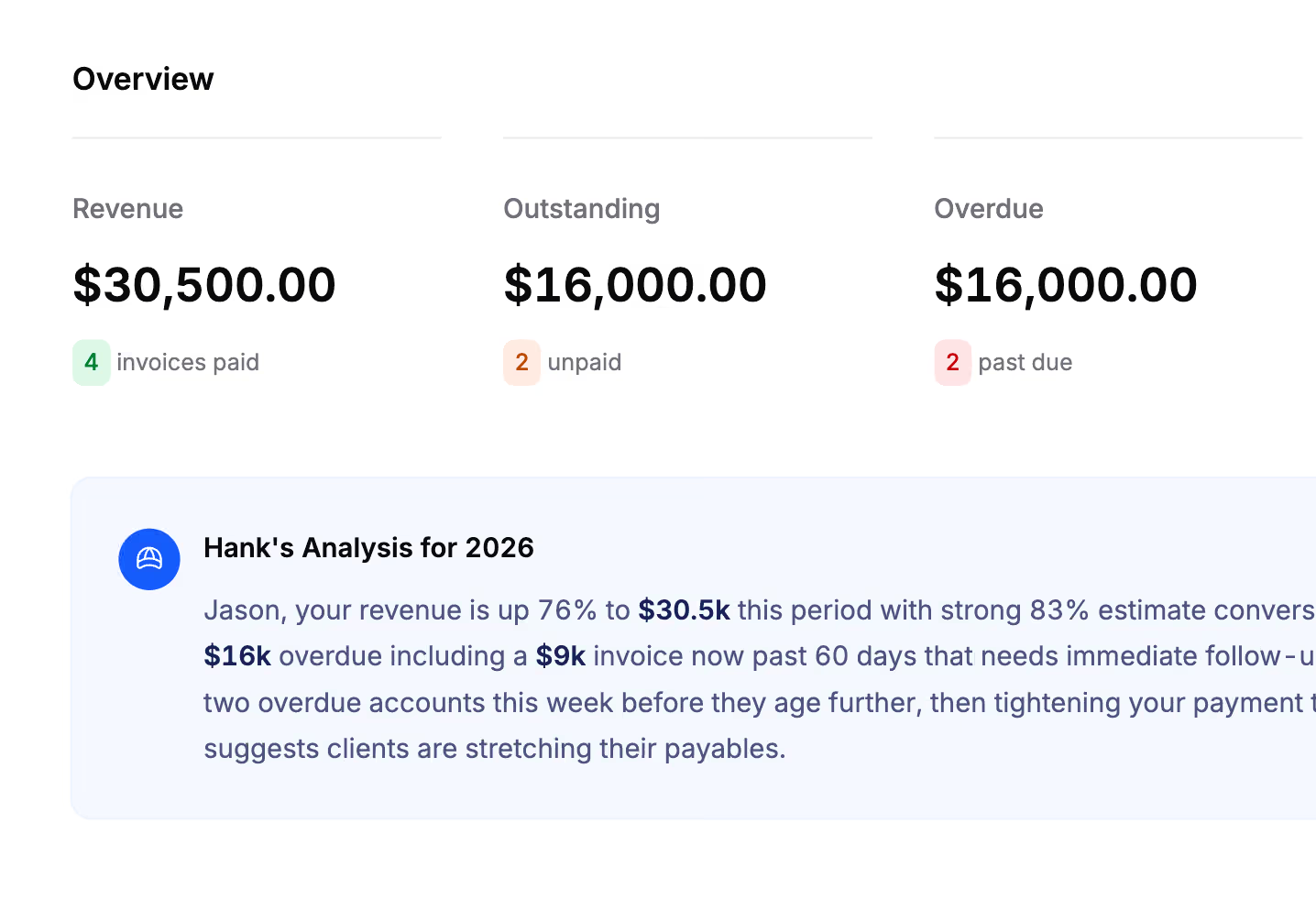
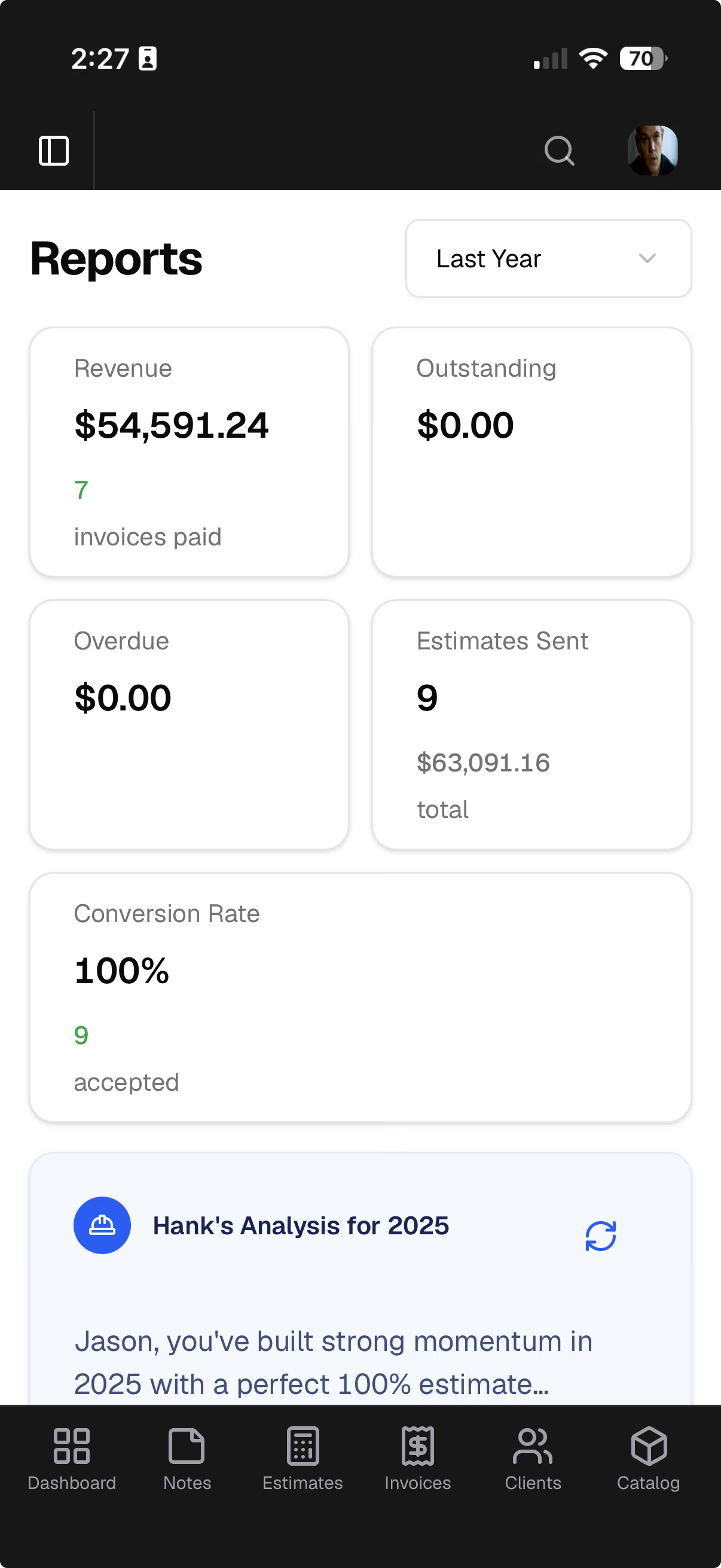
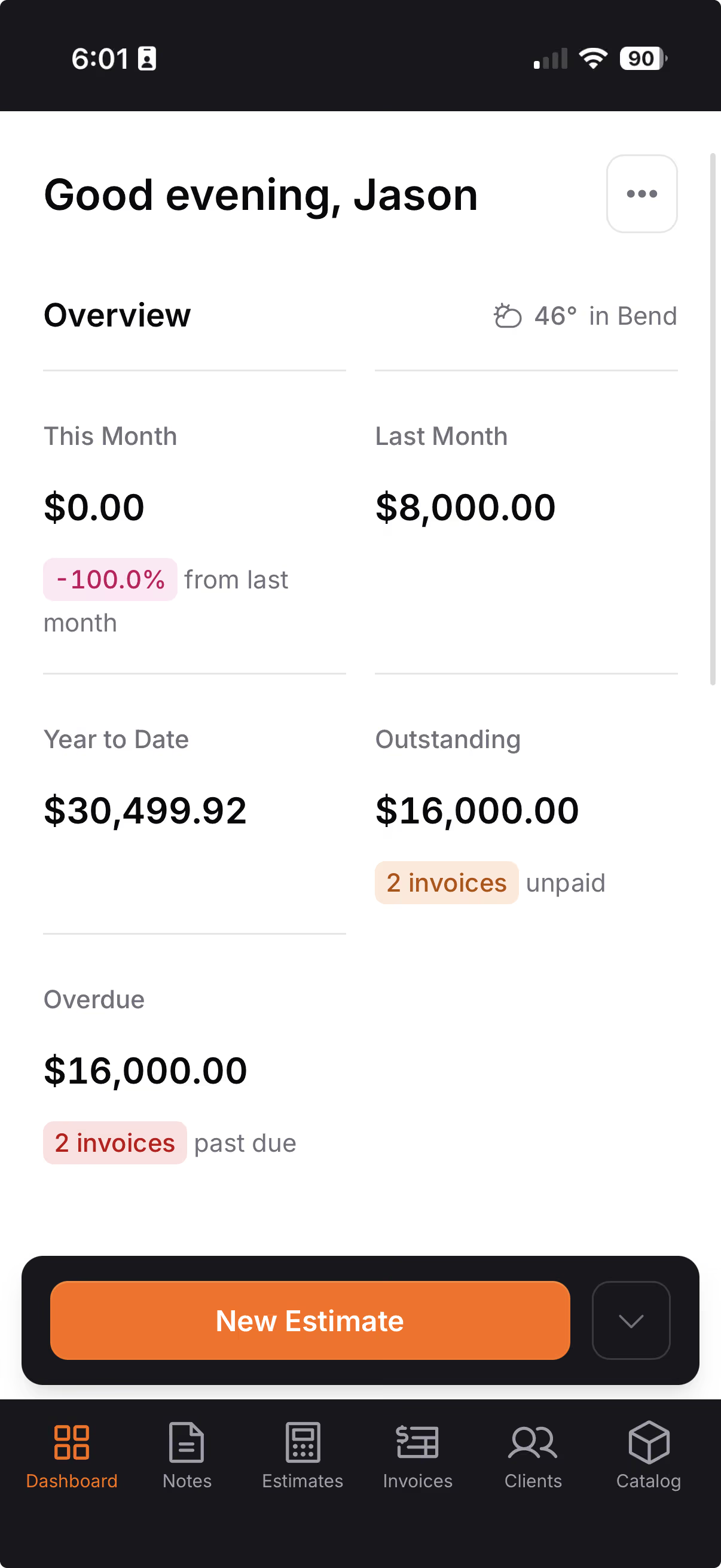
Open the app and see revenue, outstanding balances, overdue invoices, and recent activity on one screen.
- 12-month revenue chart of the money you actually collected
- Know exactly what's overdue and what's coming in
- Monday email with the prior week's revenue, payments, and activity
- Pull numbers for any month, quarter, or year
Hank does the work. You review and send.
Hank AI™ is a chat assistant built into every part of Jobkore. He drafts scope, sets pricing, edits documents live, transcribes voice memos, polishes your writing, and answers your questions about the app. You stay in the review seat.
Field notes into drafts
Select your field notes — voice, photos, PDFs, text — and Hank builds a structured draft with sections, line items, and notes.
See it on a sample job →Edit by chat, live
Open an estimate or an invoice and tell Hank what to change. He edits the document while you watch — add a line, price it, move a section, rewrite the notes, set the due date.
See it on a sample job →- A second look before you send
- Hank reads a finished estimate or invoice the way your client will and flags a line with no price, a date that has passed, or a line the estimate had.
- Works in every trade
- Pick your trade on signup. Hank uses your industry's vocabulary across transcripts, writing, and scope, and auto-detects whether you're on a room remodel, a new build, a single-trade job, or insurance restoration.
- Voice in, clean text out
- Record on the walkthrough or tap the mic in any Hank chat. Hank transcribes the audio with your trade's glossary loaded, so terms like "quarter round" and "ACQ 4x4" come through clean.
- Photos and PDFs read like text
- Snap a handwritten scope, a spec sheet, or a supplier PDF. Hank pulls the text and uses it in your draft.
- Polish your writing
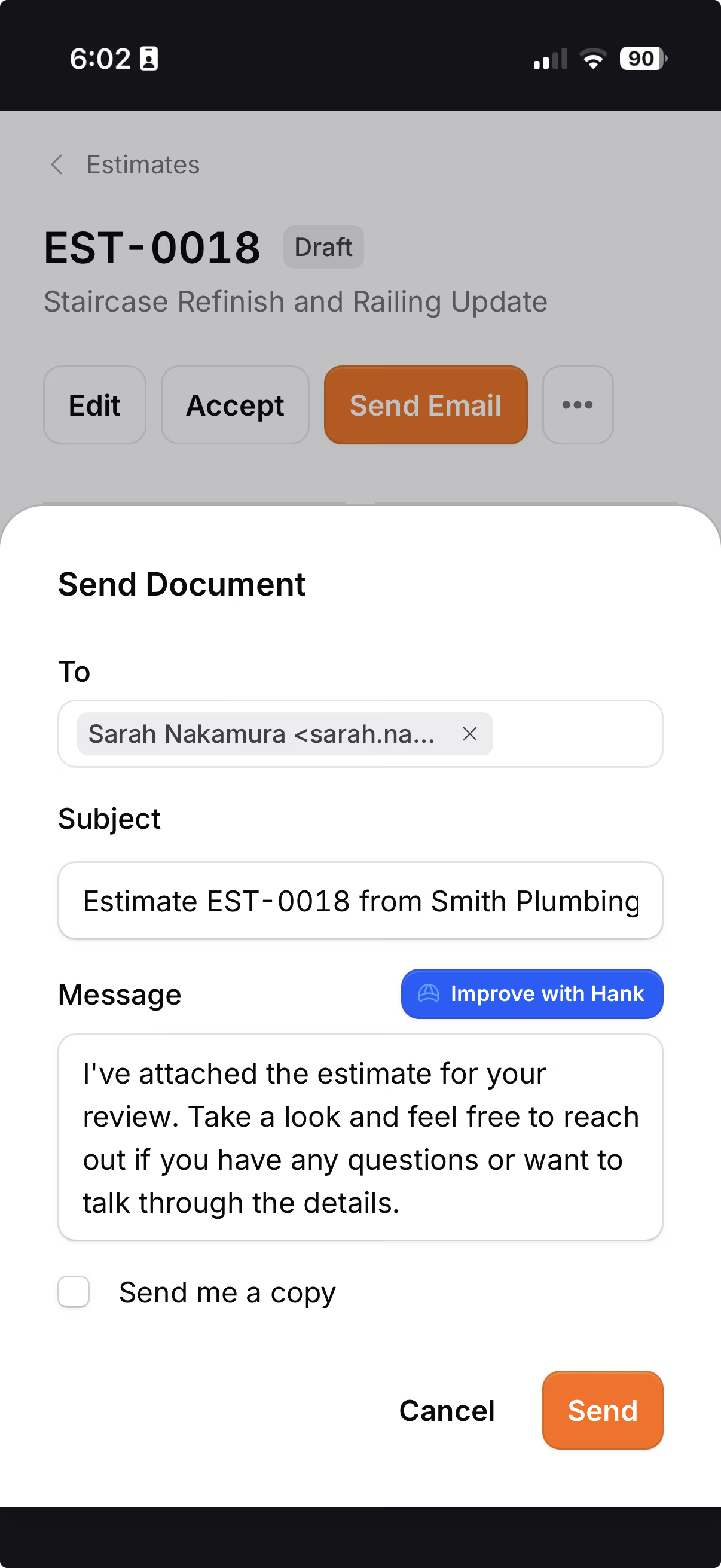
- Improve line descriptions, notes, payment terms, and the email message. Pick Professional, Friendly, or Formal — Hank keeps your meaning and tightens the prose.
- Hank's Memory
- Save your rules once. "Always include debris removal." "We sub out tile." "Use sqft for flooring." Hank applies them on every draft he builds.
- English or Spanish
- Every Hank surface works in both. Switch anytime — the scope, the writing, the chat, and the help all follow along.
A website that answers the phone.
Answer six questions and Jobkore writes your site: what you do, where you work, why they should call you. Edit any of it by talking to Hank. Publish when it reads right.
On the Jobkore + Website plan, $49/mo.
- Built from a short interview, not a blank template
- Your own domain included, registered in your name
- Contact form inquiries land in the app, one tap from a client
- Reviews collected from clients who already paid you

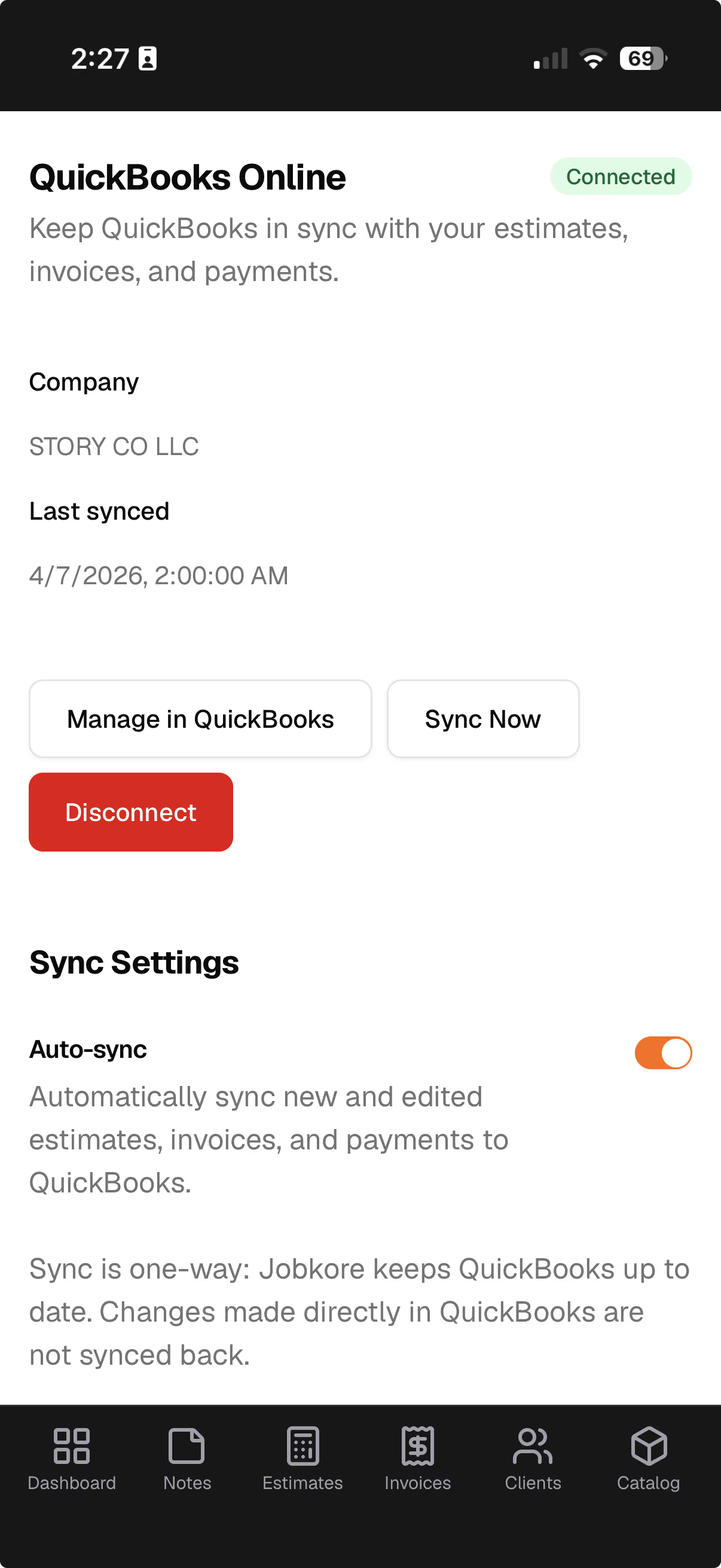
QuickBooks Online. Synced.
Connect once. Estimates, invoices, clients, and payments push from Jobkore to QuickBooks. No double entry, no export files. Sync is one-way, so Jobkore stays the source of truth and nothing overwrites your work from the other side.
- Auto-sync, or push manually when you're ready
- Estimates and invoices push with line items, tax, and totals intact
- Every payment you record shows up in QuickBooks
- Sync status, retries, and last error visible per document
Built for the truck. Not bolted on after.
Every screen was designed for a phone on a job site — big buttons, fast forms, and nothing that needs a laptop.
The details that make it complete.
Projects
Every estimate and invoice for one job in a single view, with what you have billed, collected and are still owed.
Client Management
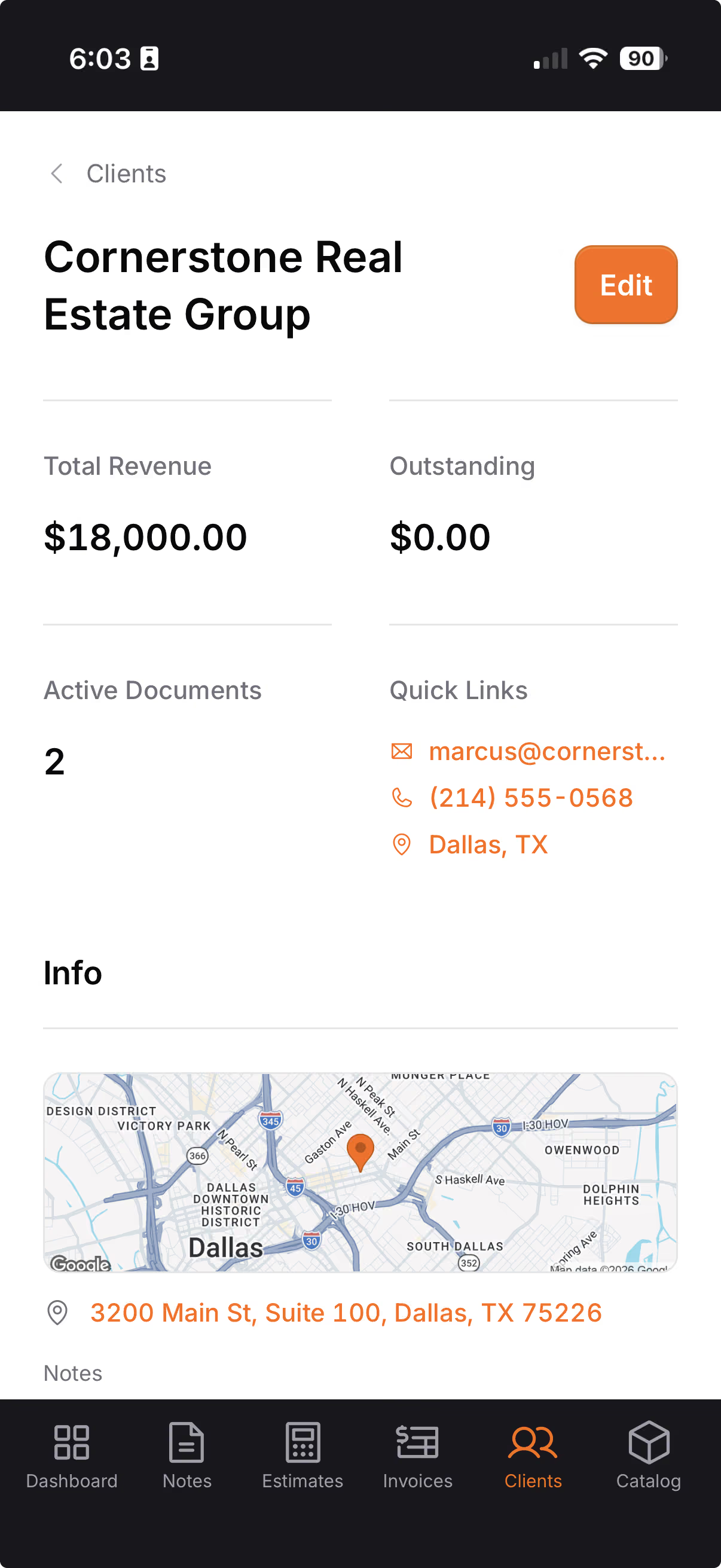
Contacts, service locations, notes, activity, and revenue per client in one place.
Catalog
Save your line items, or load a pre-built trade pack and import it in one click.
Subs
Add them to the job, say what you agreed, and always know what you still owe. Your client never sees who's doing the work.
Email Delivery
Send branded emails with your logo and PDF attached. See when clients open them.
Professional PDFs
Your logo, line items, photos, signatures, and a QR code for payment.
File Storage
Attach photos from your phone to any document. Set default attachments for every estimate.
Security
Data encrypted, files private, Stripe handles all card info.
Fully Customizable
Your logo, terms, tax rate, and default notes. Set it once.
Android App
Get it on Google Play. iOS coming soon; until then, add it to your iPhone home screen.
Works Offline
Write field notes and edit estimates with no bars. It syncs the next time you open the app in range.
Bilingual
Full English and Spanish — the app, estimates, invoices, emails, and PDFs.
How Jobkore stacks up.
Real products, real respect. We just think the numbers speak for themselves.
| Jobkore | Jobber | Joist | Tofu | Project 2 Payment | |
|---|---|---|---|---|---|
| Cost | $29/mo | $29–149/mo | $8–32/mo | $10–19/mo | $20/mo |
| Additional payment fees | No additional fees | No additional fees | Additional fees | Additional fees | No additional fees |
| Unlimited estimates & invoices | 5/mo on basic | ||||
| AI-powered estimating | |||||
| Field notes to estimate | |||||
| Online payments | |||||
| QuickBooks sync | $99+/mo | $15+/mo | |||
| Client portal & e-signatures | |||||
| Change orders | $32/mo | ||||
| Sections & line item photos | $32/mo | ||||
| Mobile-first design | |||||
| Bilingual (Spanish) |
Pricing as of March 2026. Jobkore uses Stripe for payment processing — 2.9% + $0.30 per credit card transaction, 0.8% for ACH (capped at $5). Jobkore adds nothing on top.
Common questions.
Ready to get after it?
Stop fighting your software. Start running your business.
Try for free14-day free trial. No credit card required.