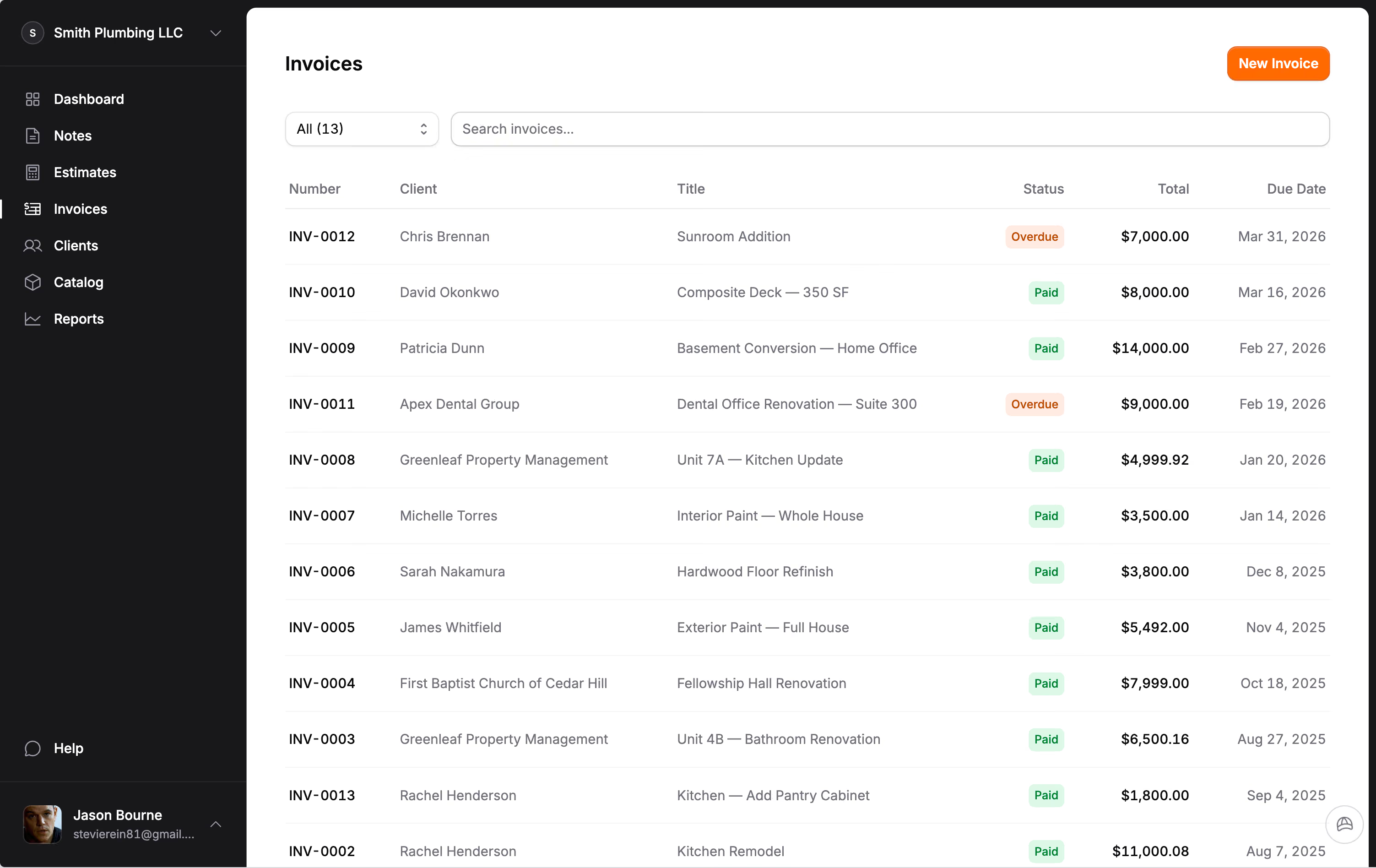
General contractor estimates and invoices, with every subcontractor priced and private.
Price the job trade by trade, keep what you pay subcontractors to yourself, and bill in draws the homeowner can follow. For small general contractors.
Price each subcontractor as a line, not buried in your labor.
General contractor software has one job most tools skip: keeping your subcontractors organized without putting their numbers in front of the homeowner. The common mistake is lumping plumbing, electrical and drywall into one "labor" figure. You lose sight of your markup on each trade, and every change order turns into a guess.
In Jobkore each trade is its own line or section on the estimate: plumbing, electrical, HVAC, drywall, paint. The homeowner sees the trade and the price. They never see who the subcontractor is or what you are paying them, because a subcontractor's name and agreed cost never reach an estimate, invoice, PDF or share link.
That side lives on the project. Record each subcontractor on the job with what they are doing and what you agreed, log what you have paid, and Jobkore shows what you still owe. Keep their license number and insurance expiration on file too. More on how subcontractor tracking works.
Your own time is a line too.
The costs a small GC forgets are usually their own. Running the job is real work even when you are the one doing it, so supervision belongs on the estimate: a percentage of hard costs, often 10 to 15 percent, or a daily rate. So do the costs of keeping the house livable while you work.
Floor protection and door masking. Dust walls and negative air on occupied-home interiors. A portable toilet on a long job with no bathroom access. Dumpster pulls, and more than one on a big job. Daily broom-clean and the final clean. The permit and inspection fees, as their own line, not folded into labor.
Load the General Contractor trade pack and your catalog starts with most of this: demolition and flooring removal by the square foot, 10- and 20-yard dumpsters, haul-off by the load, framing by the linear foot, drywall, doors, trim, paint, flooring, tile, fixtures, a permit allowance, project management by the day, mobilization and final clean. Change the national-average prices to yours once, and every estimate starts from your numbers.
Allowances and contingency, where the homeowner can see them.
Two lines protect a GC's margin more than any others. The first is an allowance for anything the homeowner has not picked yet: tile, cabinets, fixtures, flooring. Put it in the base number as a fixed item and the client assumes an unlimited selection budget. Put it in as an allowance and the difference is reconciled as a change order when they choose.
The second is contingency, as an explicit line rather than padding. A common default is around 10 percent on a remodel and 5 on new construction, and more on an old house. Add allowances for lead, asbestos or mold testing where the age of the house calls for it.
Group the estimate by room or by phase and the homeowner reads a plan instead of a lump sum. More on how to lay out a general contractor estimate.
Deposit, draws and balance on one invoice.
A GC job pays in stages, and the homeowner's real question is whether the project will finish and whether they will know what is happening along the way. A clear payment schedule answers half of it. Put the job on one invoice with a payment schedule: the deposit, a draw at rough-in, a draw at drywall, and the balance at completion, each row named and dated.
Payments fill the rows in order and the last row is always the balance, so the numbers always add up. The client pays by card or bank transfer from the invoice link, Stripe charges its standard rate, and Jobkore adds nothing. The project page adds up what you have invoiced, collected and what is still outstanding.
Watch the deposit. California, for one, caps a home improvement down payment at $1,000 or 10 percent of the contract price, whichever is less, and later payments cannot run ahead of the work done. Check your state before you set the first row.
Change orders signed before the work, not argued after.
Scope that changes after the contract is signed is the biggest source of unpaid work in general contracting. The wall opens on rot, or the homeowner wants the bathroom tile to run up the wall. Write it as a change order on the invoice, with its own lines and price.
The homeowner signs it online, and the invoice total moves to include it. When the final payment comes due, there is no debate about what was agreed, because every change is written, priced and signed on the same invoice. Keep each change order specific: what changed, why, and what it costs, line by line.
Add photos of what you found, up to 20 on the document and 6 on a single line. A photo of the rotted rim joist beside the line that replaces it does more than a paragraph of explanation.
Hank drafts the job the way a GC runs it.
Jobkore includes Hank AI™, an assistant that knows the trade you picked at signup and recognizes the kind of project in front of him, grouping a remodel by room and new construction by phase. Tell him the job by typing or with a voice memo, and he drafts the estimate with the trades as lines, priced from your catalog first.
Turn on a review before sending and Hank checks it against a general contractor's list: no supervision line, no contingency, subcontractor costs lumped into labor, finish selections priced as base items, a missing permit. He can add the missing line or an allowance, and he never changes your prices in a review.
Jobkore does not do scheduling, crew time tracking, AIA pay applications or lien waivers. It does estimates, change orders, invoices, payments and subcontractor balances for a small GC, on your phone, in English or Spanish. Related trades: remodeling, residential construction and handyman. The price is on the pricing page.
Common questions.
Ready to get after it?
Stop fighting your software. Start running your business.
Try for free14-day free trial. No credit card required.