Joist Alternatives for Contractors Who Want More
Joist is a solid app. Clean interface, easy to learn, and it handles basic estimates and invoices well enough for a lot of contractors. Over a million people have used it. That is not an accident. But there is a reason you are reading this, and it is probably one of the same reasons we hear from contractors every week: you have hit the ceiling.
Give Joist credit where it is due
Joist is one of the simplest contractor apps on the market, and for a lot of people that simplicity is the whole point. You can send an estimate or invoice in minutes. The mobile app works. The interface does not try to be everything to everyone.
If all you need is a way to send a price to a client and collect payment, Joist does the job. Plenty of contractors run their entire business on it for years. We are not here to trash a tool that works for a lot of people.
But "works" and "works well" are two different things. And the gap between them tends to show up at the worst possible time.
Where contractors outgrow Joist
The frustrations are predictable because we hear the same ones over and over. They are not deal breakers on day one. They are problems that build up over months. As of April 2026, Joist still publishes three tiers (Basics at $8, Pro at $15, Elite at $32) and the same feature walls hold across all of them.
An electrician we talked to in Boise was on Joist Pro for almost two years sending around 18 estimates a month. Then a $24,000 service panel upgrade went $3,200 over scope because the existing wiring was worse than what he could see at the walkthrough. He had no change order, just a text thread with the homeowner. The client paid $1,400 of the overage and the rest turned into a fight. "I was paying $15 a month for software that didn't have the one feature I actually needed," he told us. "And the plan that did have it cost more than my QuickBooks subscription."
Change orders sit behind the $32/mo Elite plan. Scope changes happen on almost every job. Without a formal change order process, you are texting the client "hey, this part is going to cost more" and hoping they agree. That works until it does not. Joist locks change orders behind their most expensive tier. If you are on Basics or Pro, you are on your own.
Payment processing fees are higher than they need to be. Joist charges 3.49% plus $0.49 per transaction on their Basics plan. Stripe's standard rate is 2.9% plus $0.30. On a $5,000 invoice, that difference is $34. Process $10,000 a month and you are paying an extra $400 a year in fees you do not have to pay.
Feature walls at every tier. Basics caps you at 5 documents per month, which most full-time contractors blow past in the first week. QuickBooks sync requires Pro. Business reports and a dashboard require Elite. If your accountant needs clean books at tax time or you want to see how your business is actually doing, that means the $32 plan.
No Spanish support. Joist is English only. If your crew speaks Spanish, if your clients are Spanish-speaking, or if you work in a market where bilingual documents matter, Joist cannot help you.
What to look for in an alternative
The point of switching tools is not to find a slightly different version of the same thing. It is to fix the specific problems that made you start looking. Use this as a quick sanity check before you sign up for anything.
| What to look for | Why it matters |
|---|---|
| Change orders included on every plan | Scope changes happen on every job. They are not a premium feature, they are how you protect your margin when the wall opens up. |
| Pass-through payment processing | You should pay Stripe's standard rate and nothing else. If the app marks up every transaction, your interests are not aligned. |
| QuickBooks sync at the base tier | Tax-time sanity should not cost an extra $30 a month. Estimates, invoices, payments, and clients should all flow over automatically. |
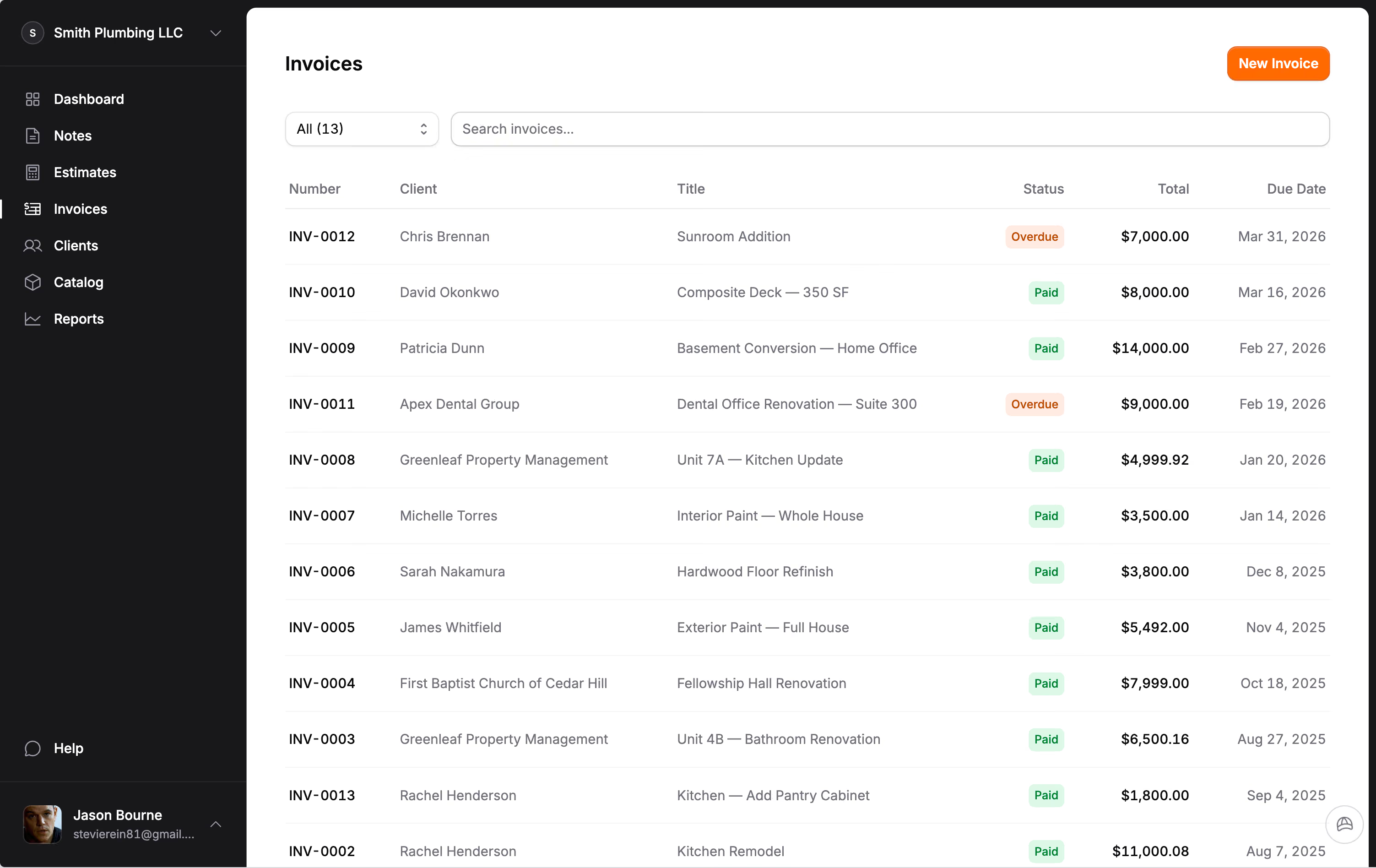
| A real dashboard out of the gate | Revenue, outstanding balances, and overdue invoices should be visible the moment you open the app, not buried in a CSV export. |
| Bilingual support, top to bottom | If even 10 percent of your crew or clients speak Spanish, bilingual estimates and emails are how you avoid scope and payment disputes. |
Features that do not exist in Joist at any price
Some gaps cannot be solved by upgrading to a higher Joist tier. These features simply are not part of the product.
AI estimate organization. Describe a job in plain language, upload photos of handwritten notes or spec sheets, or dictate a voice memo on the walkthrough, and Hank AI™ organizes everything into structured sections and line items. You still set the prices. Hank just eliminates the tedious part of building out the estimate structure. Joist has no AI features on any plan.
Field notes capture. Record voice notes on the job site or jot down observations between tasks. Those notes feed directly into estimates, invoices, or change orders later. No re-typing what you already said out loud.
Full bilingual support. Every screen, every email, every PDF in both English and Spanish. Not a translation layer on top of an English app. Built bilingual from the start.
What switching actually looks like
The biggest reason contractors stay on a tool they have outgrown is that switching feels like starting over. It does not have to be.
Your client list moves with you. Jobkore's CSV import lets you upload your entire client list in one step. Export from wherever you are now, map the columns, preview the data, and import. Name, address, contacts, notes. You are not re-typing 200 clients one at a time.
Old documents stay where they are. You do not need to migrate every estimate and invoice you have ever sent. Your clients already have their copies. Your accounting software has the records. Start fresh with new documents in the new tool and keep your old app around for reference if you need it.
The free trial is the real test. Do not compare feature lists on websites. Sign up, send a real estimate to a real client, and see how it feels. Fourteen days is enough to know whether a tool fits your workflow or fights it.
A weekend is enough. Most contractors we talk to are fully switched over in a day or two. Import clients on a Friday evening, send your first estimate Monday morning. By the end of the week it feels normal.
When staying on Joist makes sense
If you send fewer than 5 documents a month and you do not need change orders, QuickBooks, reports, or Spanish support, Joist Basics at $8 per month is genuinely hard to beat. It is simple, it works, and there is nothing wrong with simple.
But if you are paying for Joist Elite at $32 per month to get change orders and reports, or if you are working around limits instead of working with your tools, that is the signal. You are paying more for less, and the gap only grows as your business does.
One thing to do this week
Pull a copy of your last three months of invoices and outstanding balances out of Joist. Just see what is there. Then write down every workaround you have built around the tool: change orders sent as text messages, payments tracked in a notebook, CSV exports your accountant asks for every quarter, the Pro plan you upgraded to just to keep sending invoices. Most contractors who switched told us they could only see the real cost after they listed it out.
Once that list is in front of you, the next step is usually obvious. The hardest part is admitting that the tool you have been defending is the one that is costing you money.
Frequently Asked Questions
What is the best alternative to Joist for contractors?
The best Joist alternative depends on what you need. If you want change orders, AI estimate organization, QuickBooks sync, and bilingual support included at one price, Jobkore is $29 per month with no feature tiers. Other options include Project 2 Payment and Invoice Simple, though neither offers change orders or AI.
Can I move my clients from Joist to another app?
Yes. Export your client list as a CSV from your current tool and import it into your new app. Jobkore supports CSV import with 12 fields including name, address, contacts, and notes. Most contractors complete the switch in a day.
How much does Joist cost compared to Jobkore?
Joist Basics is $8 per month but limits you to 5 documents. Joist Pro is $15 for unlimited documents. Joist Elite is $32 for change orders and reports. Jobkore is $29 per month with everything included and lower payment processing fees.
Is it worth switching from Joist?
If you are on Joist Basics or Pro and need change orders, reports, or QuickBooks sync, you would need to upgrade to Elite at $32 per month. Switching to a tool that includes those features at a lower price saves money and removes feature walls.