The Contractor's Phone Is the Office: Why Mobile-First Software Matters
Heading into spring 2026, the most expensive minute in a small contractor's day is the one between finishing a job and being able to send the next estimate. Most of the tools out there force that gap to be hours, not minutes. They were built for desktops and tolerated on phones. Ninety-three percent of trade contractors already carry a smartphone to every job, according to a MindForge survey, yet over 40 percent of field service professionals still have no job management software at all, per Klipboard. The phone is in the truck before the homeowner has shut the front door. The software should be too.
Why the admin keeps piling up after dark
Service professionals spend over 850 hours per year on non-billable admin work. That is roughly 16 to 17 hours a week spent on things like writing up estimates, chasing invoices, re-entering job notes, and tracking down client information. For a small contractor, that time translates to more than $25,000 a year in lost potential revenue.
A broader State of Work report puts an even sharper point on it: workers spend 60 percent of their day on coordination and only 27 percent on the skilled work they were hired to do. In construction specifically, McKinsey research via Fieldwire found that 35 percent of time goes to searching for project data, fixing mistakes, and rework.
Most of that admin piles up because the tools require a desk. You walk a job at 10am, take notes on paper or in your phone's notes app, then drive to the next job. By the time you get home at 6pm, the last thing you want to do is type up an estimate from scratch. So it waits. Tomorrow becomes Thursday. Thursday becomes next week. The admin backlog is not a personality flaw. It is a tool problem.
"Mobile-friendly" is not mobile-first
Every contractor app on the market claims to be "mobile-friendly." What they usually mean is that their desktop software does not completely break on a phone screen. The buttons shrink. The forms stretch. You spend half your time pinching and zooming through tables designed for a 27-inch monitor.
There is a real difference between a desktop app that tolerates a phone and an app designed for a phone first. Mobile-first means every screen was built for a 6-inch display before anyone thought about the desktop version. Big tap targets. Short forms. Workflows that assume you are standing in a client's garage with one hand free and the sun in your eyes.
The difference shows up in small moments that matter. Can you pull up a client's number in two taps? Can you convert an estimate to an invoice without scrolling through a sidebar? Can you record a voice note while walking a job site instead of typing on a screen you can barely see in direct sunlight? These are not luxury features. They are the baseline for software that works where contractors actually work.
Consider what MindForge found about how construction workers actually use phones: 46 percent use their personal phone for work, only 15 percent have a company-issued device, and 62 percent receive no reimbursement. On top of that, frontline workers now juggle five or more work apps on average, a figure that increased 80 percent in just two years. If your contractor software adds friction on the device they already carry, they will not use it.
Speed is the advantage nobody measures
Research consistently shows that 78 percent of clients hire the first contractor who responds. Responding within five minutes makes you 21 times more likely to win the job compared to waiting 30 minutes. One study found that responding within a single minute increases conversion by 391 percent. After an hour, most clients have moved on.
That math changes everything about where and when you do admin. If sending an estimate requires a desktop, you are structurally slower than the contractor who sends it from the driveway. You might be better at the work. Your price might be fair. But the client already signed with someone whose tool let them send a professional estimate before yours left the notebook.
A fence contractor in central Oregon told us he used to write estimates at 9 or 10pm, after he got home and ate dinner. He started sending them from the parking lot of the job he had just finished, with the same line items and sectioned template, just on his phone instead of his laptop. His close rate jumped from about 1 in 4 to better than half in six weeks. Nothing else changed about how he priced or scoped the work. The only difference was the gap between walking the job and the homeowner getting the document.
The same pattern applies to invoicing. APQC benchmarking data shows that manual invoice processing averages 10.9 days, while automated processing cuts that to 3.7. We covered the same-day invoicing angle in a previous post: contractors who invoice from the job site get paid days or weeks faster because the client pays while the work is fresh. When you wait three days to send an invoice, the urgency fades and the check goes to the bottom of their pile.
A mobile-first tool does not make you faster because it has a "speed" feature. It makes you faster because it removes the gap between doing the work and documenting the work. The estimate happens where the conversation happens. The invoice goes out where the job gets finished.
What actually matters on a phone
Not everything belongs on a mobile screen. Quarterly tax planning, detailed job costing spreadsheets, scheduling for 40 employees: those are laptop tasks. But the core work of a solo contractor or small crew is surprisingly phone-shaped. Four workflows cover most of the admin that pulls you off the truck:
- Sending estimates from the truck. Walk the job, add your line items, and send a sectioned estimate link from the parking lot. The client views, signs, and accepts on their phone before you've loaded your tools.
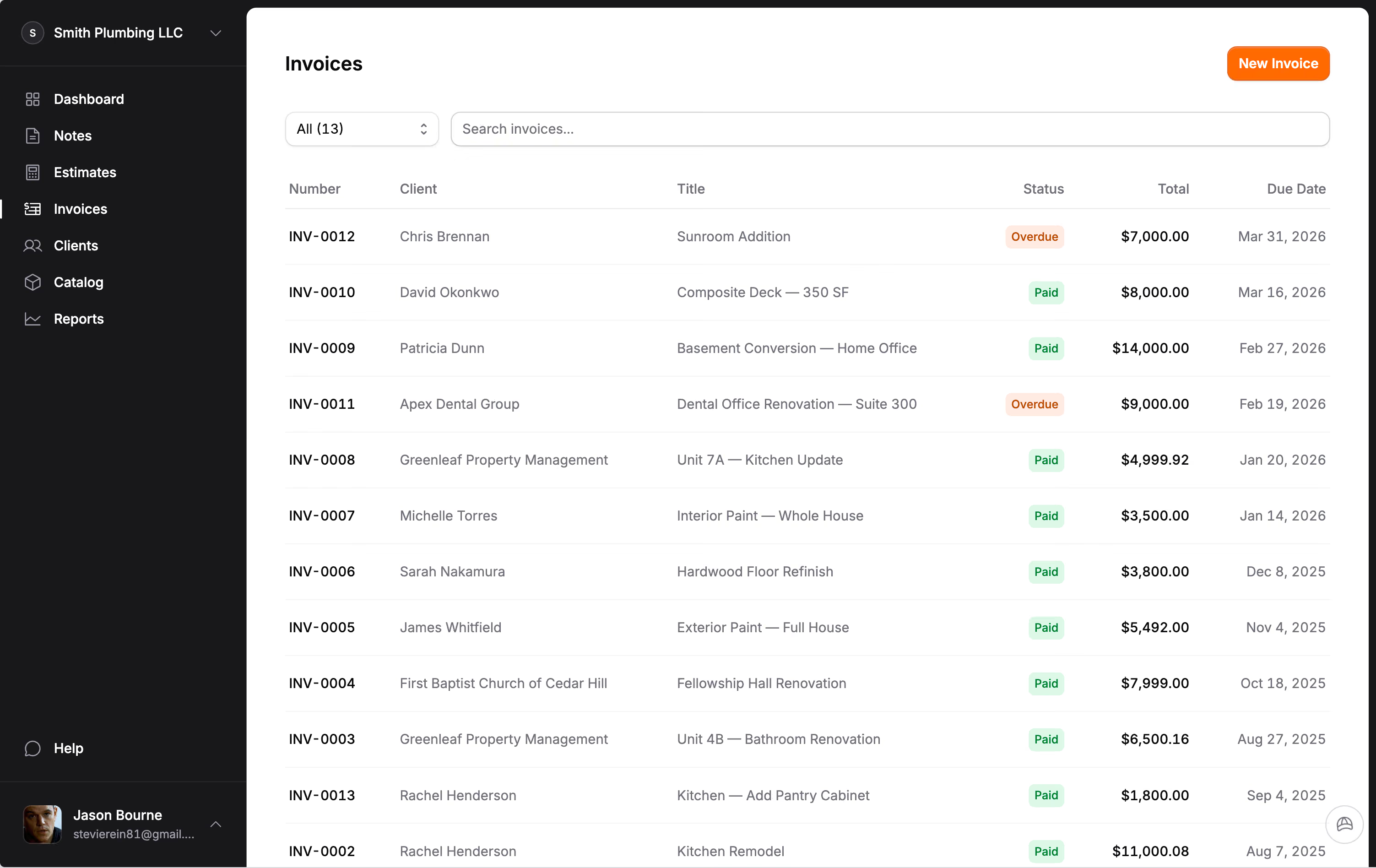
- Invoicing and getting paid before you leave. Convert the approved estimate to an invoice in a couple of taps. The client gets a payment link and pays by card or ACH while the work is still fresh.
- Pulling up clients and field notes between jobs. Driving to a callback and can't remember whether the homeowner wanted 3/4-inch or 1-inch trim? A client record with the original estimate, notes, photos, and voice memos answers that in seconds, with no scrolling through text threads or photo albums.
- Checking your numbers without logging in. Between jobs, open your dashboard and see revenue this month, outstanding invoices, and what is overdue. Thirty seconds. No spreadsheet. No password reset.
Cover those four and you have closed the gap on most of the admin that drags a small contracting business into nights and weekends.
You do not need the App Store
A lot of contractors assume "mobile app" means downloading something from the App Store or Google Play. That used to be true. But modern web apps can work exactly like a native app when you add them to your home screen. You tap the icon, the app opens full screen, and it runs like anything else on your phone.
The advantage is that there is nothing to download, nothing to update, and no app review process delaying fixes. You always get the latest version. The same app works on your phone, tablet, and laptop with everything in sync.
Jobkore works this way. Add it to your home screen and it behaves like a native app. No App Store needed. Every screen, from estimates to invoices to field notes, was designed for a phone on a job site: big buttons, fast forms, and nothing that needs a laptop.
Your phone is already your office
Construction is the second least digitized industry on the planet, just above agriculture, according to McKinsey. Construction productivity has grown only 0.4 percent per year since 2000, compared to 2 percent for the overall economy and 3 percent for manufacturing. McKinsey estimates that closing this gap could recover $1.6 trillion globally.
You do not need to close a trillion-dollar gap. You just need the five or six things that matter most to work well on the screen you already carry. You already text clients, check material prices, look up addresses, call your supplier, and take photos from your phone. The only piece missing is the business software that ties it together: the estimates, invoices, payments, and client records that turn a busy contractor into an organized one.
If your current tool makes you wait until you are at a desk to send an estimate, you are losing jobs to someone whose tool does not. The fix is not faster typing or better discipline. It is putting the business side of the work on the device you already have in your hand at the end of every walkthrough.
If you do nothing else this week, time yourself sending one estimate the way you normally do it, then time the next one from the driveway on your phone before you leave the job. Whatever the gap is, twenty minutes or three hours, that is what a tool built for the truck actually saves you. You don't need to overhaul your whole system this week. You just need to see, with your own watch, how much of the day you are giving up to software that wasn't built for where you actually work.
The contractors who close that gap stop dreading the admin part of the job. The ones who don't tend to stay stuck in the 9pm-after-dinner cycle until something forces them out of it.
Frequently Asked Questions
What is the best mobile app for contractors?
The best contractor app depends on your crew size and what you actually need. Solo contractors and small crews need estimates, invoices, payments, and client management that work well on a phone. Look for mobile-first design (not a desktop app squeezed onto a small screen), online payments with no added fees, and the ability to send estimates from the job site. If you need scheduling and dispatch for large teams, that is a different category.
Can I run a contracting business from my phone?
Yes. Most of the core admin work for a solo contractor or small crew is phone-shaped: creating estimates, sending invoices, recording payments, looking up client info, and capturing field notes. Ninety-three percent of trade contractors already use smartphones on the job site. The gap is not the device; it is having software designed for that device instead of a desktop app that barely works on a small screen.
What is the difference between mobile-friendly and mobile-first?
Mobile-friendly means a desktop app that does not completely break on a phone. Mobile-first means every screen was designed for a phone before the desktop version. The difference shows up in tap targets, form length, navigation, and workflows. A mobile-first app lets you create and send an estimate in a few minutes from a parking lot. A mobile-friendly app makes you pinch, zoom, and scroll through menus built for a monitor.
Do contractors need to download an app from the App Store?
Not necessarily. Modern web apps can work like native apps when added to your home screen. You tap the icon, the app opens full screen, and everything stays in sync across your phone, tablet, and laptop. The advantage is no downloads, no manual updates, and no app review delays. Jobkore works this way: add it to your home screen and it behaves like a native app.
How much time do contractors spend on admin work?
Service professionals spend over 850 hours per year on non-billable admin, roughly 16 to 17 hours per week. That includes writing estimates, chasing invoices, re-entering job notes, and tracking client information. For a small contractor, that lost time translates to over $25,000 per year in potential revenue. Mobile tools that let you handle admin between jobs instead of after hours can reclaim a significant portion of that.