Frequently asked questions
Everything contractors ask about Jobkore — from pricing to payments to Hank AI.
Getting Started
Go to the registration page and sign up with your email and a password (8+ characters), or use the Sign in with Google button. After signing up, enter your business name and select your trade to access the app.
Yes. Every new account gets a 14-day free trial with full access to all features. No credit card required to start.
First, add a client from the Clients page. Then go to Estimates, click New, select that client, add your line items, and save. You can then email or share the estimate with your client.
Pricing & Billing
Jobkore Pro is $19/month or $190/year (save ~17%). One plan with all features included — no tiers or feature gating.
You'll be prompted to subscribe when you try to use core features. Your data is preserved — nothing is deleted. If you don't subscribe within 14 days after expiry, your account and data are automatically deleted.
Go to Billing and click "Manage Subscription." This opens the Stripe customer portal where you can cancel, change plans, or update your payment method.
Go to Billing, then click "Manage Subscription." The Stripe portal shows all past invoices and receipts.
Yes. Every Monday you receive a weekly recap email summarizing your activity — estimates sent, invoices paid, revenue earned, and more. You can enable or disable it in Settings under Notifications.
Estimates
Go to Estimates and click New. A draft is created immediately — no client or line items required to start. Add a client, title, and line items as you go. Changes auto-save. When done, click "Done" to go back to your estimates list, then send when ready.
Open the estimate and click "Send Email." You can customize the subject and message, choose recipients, and optionally send yourself a copy. The estimate PDF is attached automatically.
In the estimate or invoice form, click "Add Section" below the line items list. Sections let you group related items (e.g., "Demolition," "Framing," "Electrical"). Each section shows its own subtotal. You can drag items between sections and reorder them.
Overall markup applies a percentage across all line items at once. Click "Add Overall Markup" in the totals area. The markup is rolled into each line item's rate on client-facing views — your client sees the final price, not the markup.
Invoices & Payments
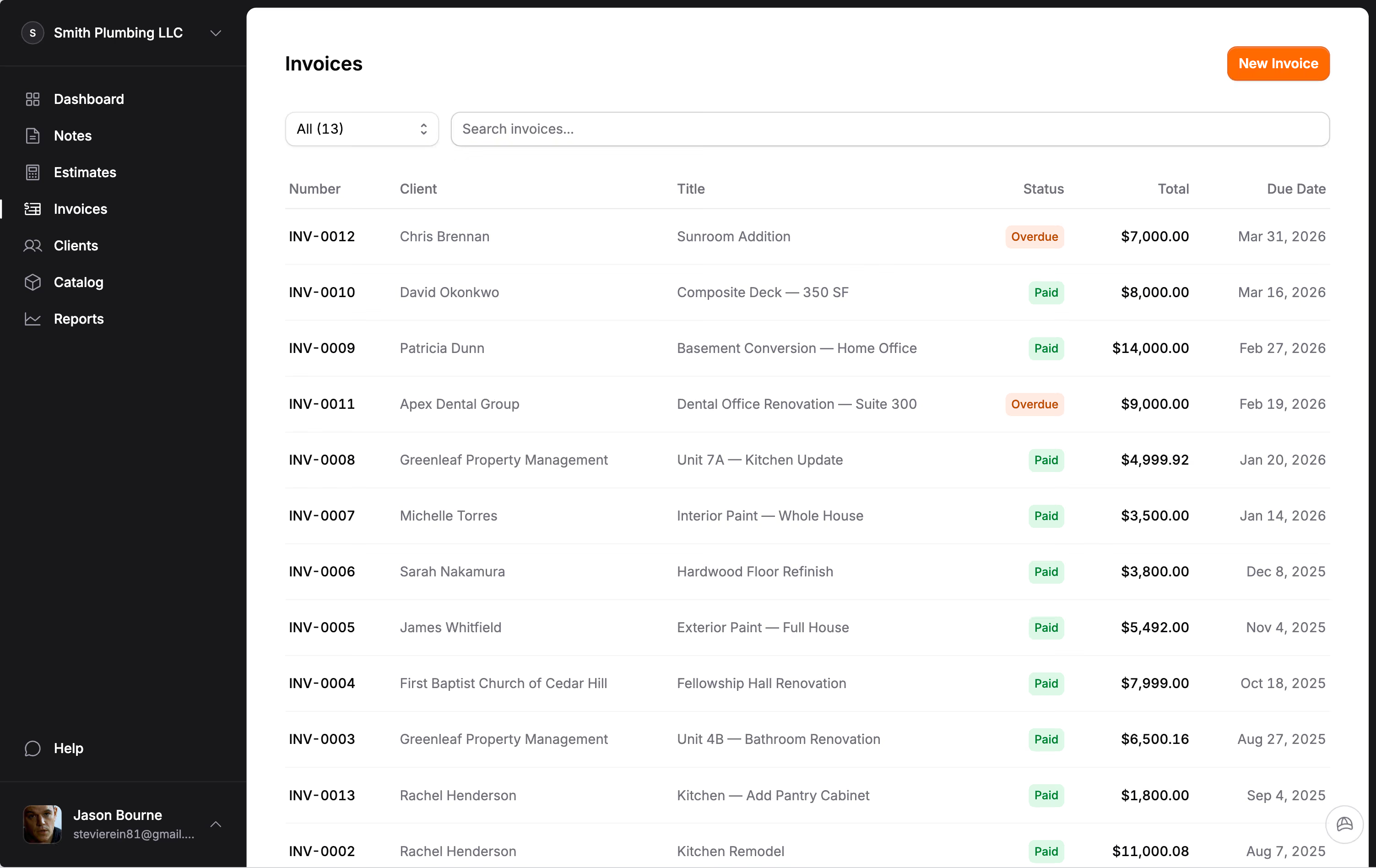
Go to Invoices and click New. A draft is created immediately. Add a client, line items, and due date as you go. Changes auto-save. You can also create one directly from an accepted estimate or change order.
Open a sent invoice and click "Record Payment." Enter the amount, payment method (e.g., Check, Cash, Zelle), reference number, and date. The invoice auto-updates to Paid when the total is covered.
Yes. When sending an email, you can add multiple recipient email addresses. All contacts for the client are shown as suggestions.
Card payments: 2.9% + $0.30. ACH bank transfer: ~0.8% (capped at $5). You can choose to absorb the fee or pass the card fee to your client. When passed, the fee is shown to the client before they pay. Jobkore adds nothing on top.
Yes. If an invoice has a deposit amount set, the share page shows both "Pay Deposit" and "Pay Full Amount" options. Your client chooses which to pay.
Hank AI
Hank is your AI assistant built into Jobkore. He organizes field notes into structured estimates and invoices, improves your writing, generates titles for notes, and provides business analysis on the reports page.
Select notes and choose a document type, then the Hank modal opens. You can type or paste details, upload files (images, PDFs, text files — up to 5), or use voice input. Click "Let's Go" and Hank organizes everything into a structured breakdown. You review, adjust, then insert into the form.
On the Reports page, Hank analyzes your numbers and gives you a plain-language summary of your revenue, outstanding invoices, and trends. It highlights what needs attention so you can act on it.
QuickBooks Sync
Go to Settings, open the Integrations tab, and click "Connect with QuickBooks." Sign in to your QuickBooks Online account and authorize Jobkore. Once connected, your data syncs automatically.
Estimates, invoices, clients, catalog items, and payments sync from Jobkore to QuickBooks — including edits. Sync is one-way: Jobkore is always the source of truth. Changes made directly in QuickBooks are not synced back.
Change Orders
When scope changes after approval, create a change order from the accepted estimate. The original estimate stays locked. Each change order gets its own number, approval, signature, and invoice. Your client sees the full picture — original contract, every change, and the revised total.
Yes. Once a change order is accepted, you can create an invoice from it just like a regular estimate. Each change order has its own invoice, keeping the billing trail clear.
Field Notes
Field notes let you capture text and voice memos from job sites, phone calls, or walkthroughs. You can then select notes and use Hank AI to turn them into organized estimates, invoices, or change orders.
Yes. Go to Field Notes and tap the microphone icon. Speak your notes — recording supports up to 15 minutes. When you stop, the audio is automatically transcribed to text. You can edit the transcript after.
Mobile
Jobkore is a Progressive Web App (PWA). Install it on your phone's home screen for a native app experience — no app store needed. It works on all modern browsers.
On iPhone, open Jobkore in Safari, tap the share icon, then "Add to Home Screen." On Android, open in Chrome and tap "Install app" from the menu. Once installed, it works like a native app.
Sharing & PDF
Open the document and click "Share." A unique link is generated that you can copy and send via text, email, or any messaging app. No account needed — your client views it in their browser.
Share links are valid for 90 days. After that, the link expires and a new one can be generated.
Open the estimate or invoice and click "Download PDF." The PDF includes your logo, company info, all line items, photos, notes, terms, and signatures.